Periodic Table Wheel: How Do You Pick a Random Element?
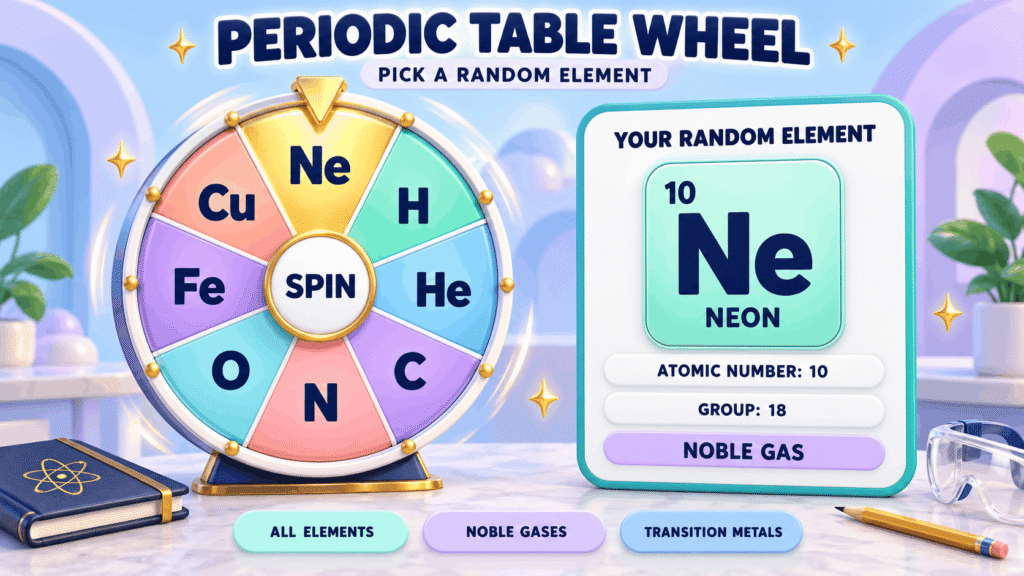
A periodic table wheel picks a random chemical element with one spin and shows its name, symbol, atomic number and group, so you can quiz yourself or hand out elements in class. WheelySpin’s version can spin All 118 elements or a shorter list, and every result card shows the element’s key details.
Shorter lists matter more than most people expect. A wheel of 118 slices suits a Secondary chemistry class, but younger students do better with just the lightest few dozen, where the names are familiar and the symbols stick.
WheelySpin also has lists of just the noble gases or just the transition metals. Narrow lists build recognition of symbols fast, and a quick symbol quiz after each spin turns the wheel into revision. You start to see trends too, as elements from the same family keep coming up.
It isn’t only for classrooms, though it sits alongside our other classroom tools. Science enthusiasts and anyone curious about matter use a spin as science inspiration: one random element is a good excuse to read about something new.
How Do You Use a Periodic Table Wheel?
You use a periodic table wheel by choosing which elements to include, spinning once, and reading the element’s details before the next spin.
- Pick your list. Start with the full table, or a short list when you’re studying one topic.
- Spin. The interactive spinner randomly selects one random element from your list.
- Read the result. Note the name, symbol, atomic number and group on screen.
- Spin again. Go as many times as you like, since WheelySpin is free.
Some wheel tools add an extra info field, a fixed Spin Duration such as 6s, or Speak Result to read each element aloud, which helps when the back row can’t see the screen.
In my experience, the reading step is where the learning happens. Cover the screen before the card appears, say the answer out loud, then check it.
Which Element Lists Can You Spin?
You can spin a periodic table wheel with the full table or with a focused list, such as the lightest elements, one family, or a set you build yourself.
| List | Runs from | Good for |
|---|---|---|
| Full table (WheelySpin) | Hydrogen to Oganesson | Mixed revision and lab prep |
| Elements 1–20 (WheelySpin) | Hydrogen to Calcium | An atom model for each student |
| Elements 1–36 (WheelySpin) | Hydrogen to krypton | Period 4, which starts with Potassium |
| Group 18 only (WheelySpin) | Helium, Neon, Argon and the rest | A group sort warm-up |
| d-block metals (WheelySpin) | Scandium onwards | Comparing metals side by side |
Lists elsewhere often add more detail. Some show the atomic weight, or the most stable isotope mass for unstable elements, plus a chemical category such as alkali metal.
Some tools also let you tilt the odds. Weights make an element appear more often, so you can make the elements a class keeps forgetting more or less likely to come up.
How Can Teachers Use a Periodic Table Wheel in Class?
Teachers can use a periodic table wheel to hand out elements fairly, run quick quizzes, and turn trend questions into a game.
Here’s a 15-minute lesson that works well:
- Warm up (3 minutes). Spin the First 20 elements list and ask for each symbol. Short knowledge tests like this wake a class up. For a times-tables warm-up instead, try the Times Tables Wheel.
- Assign (2 minutes). Tick Remove the winner so every student gets a different element. To group students first, use the Random Team Generator.
- Explore (7 minutes). Students predict reactivity against a neighbour’s element (pair them with the Random Pair Generator), look for similar properties within one family, and discuss bonding. Pick one trend to compare: atomic radius, electronegativity or ionization energy.
- Wrap up (3 minutes). Use the last spins for elemental quizzes or periodic table-themed games.
Some tools let you Add Activities, which are hidden activities that sit behind a CLICK ME button under the result. Others spin up to 6 wheels at once, one per team, which suits a busy lab.
How Is the Periodic Table Organised?
The periodic table is organised into rows called periods and vertical groups, so an element’s position hints at how it behaves.
That’s why one spin teaches more than a name. Land on Lithium or Sodium and you’re in group 1. Land on Chlorine and you’ve hit the halogens. Read the period/group and you can guess the element’s chemical behavior and likely reactions.
The blocks tell the same story. The s- and p-block elements sit at the edges of the table, while Iron, Copper, Zinc, Silver and Gold sit in the d-block in the middle.
A classic exercise is to sort each spin as a metal, nonmetal or metalloid. Carbon and Oxygen are nonmetals, and silicon is a metalloid. For older students, writing electron configurations for each spin links the layout to the atoms behind it.
What Settings Do Periodic Table Wheels Offer?
Periodic table wheels usually let you edit the entries, remove results as you go, hide answers, and change how the wheel looks.
| Setting | What it does | When it helps |
|---|---|---|
| Edit or Add Names | Changes entries, as text or images | Building your own topic list |
| Blind mode (WheelySpin) | Hides every slice until the wheel stops | Quizzes where you hide the symbol |
| Names-only list (WheelySpin) | Edit entries to show only names | Symbol recall practice |
| Elimination mode or Automatically remove result | Each pick is removed from the pool until reset | Working through a whole list |
| Change Colors | Restyles the wheel | Telling two lists apart |
| Fullscreen mode | Hides menus and ads for a distraction-free view | Projectors and smartboards |
| Save to cloud or auto-save | Keeps your list for later | Reusing a wheel next lesson |
The basic flow doesn’t change whatever you set: choose a list, then Press Spin. The settings only decide what students see and whether results can repeat.
Which Elements Are on a Full Periodic Table Wheel?
A full periodic table wheel holds every confirmed element, listed by increasing atomic number from element 1 to element 118.
That’s 118 known elements, running from hydrogen to oganesson, as confirmed by IUPAC. The heaviest elements have only been made a few atoms at a time, so many of their properties haven’t been measured yet.
Spelling is the hidden problem with long lists. Public wheels I checked include “Cabon,” “Sliver” and “Flourine,” and one gives argon the symbol “R.” If you build your own, rename slices to your preferred spelling before class, and focus on a chapter instead of pasting all 118. A first 50 elements list is common on shared teacher wheels.
Each spin is also a ready element report. Ask students to research or present the element’s uses, its discovery, one surprising fact, and the materials or applications it turns up in. The columns the element sits in give them a head start on its behaviour.
How Many Elements Are on the Wheel?
WheelySpin’s full periodic table wheel has all 118 elements, and the shorter lists cover the first 20 or 36 elements or a single family. To work through the full set, avoid repeats with the remove-the-winner option, which turns spinning into a systematic review.
Why Do Some Elements Have Unknown Properties?
Some elements have unknown properties because they’ve only ever been made in tiny amounts that break down almost at once, leaving too little to test. Synthetic elements such as Einsteinium, Mendelevium and Tennessine are all heavier than Uranium and Plutonium. Their details are often blank or estimated on element wheels.
Can You Hide the Element Symbols?
Yes, on WheelySpin you can edit the elements list so it shows names only, or switch on blind mode to hide every slice until the wheel stops. That turns the wheel into flash-quiz practice or flashcard prompts, where students name the symbol before the result appears. It works just as well for quick trivia rounds. For geography rounds, try the Flag Quiz.
Is the Periodic Table Wheel Random?
Yes, WheelySpin’s periodic table wheel is random: each spin uses your browser’s secure random generator (you can test it with the randomness audit), so every element on the list has an equal chance. WheelySpin and many other tools use crypto.getRandomValues(). Some go further, showing a Server Seed Hash before the spin and a Reveal Server Seed option afterwards, so anyone can check the result.
Can You Use the Wheel Without Distractions?
Yes, you can use a periodic table wheel without distractions by going full screen and switching off extras you don’t need. Some tools add a Winner Animation with Confetti or Fireworks, sounds like a Drum Roll, and a background image of up to 3MB. That’s fun once and distracting by the tenth spin. For streaming a lesson, an OBS Streamer Mode that works with Streamlabs keeps the wheel clean on screen.
Can You Edit the Elements on the Wheel?
Yes, you can edit the elements on WheelySpin’s periodic table wheel by changing its entries. Make a wheel of only metals, of industrially common elements such as Aluminium and Lead, or of tricky ones like Iodine and Mercury. You can also start from the First 36 elements list and trim it. Some sites use an open-ended template with no leaderboard, and lock fonts behind a subscription.
How Do Weighted Elements Work?
Weighted elements work by giving some entries a bigger share of the wheel, so they come up more often than the rest. In group challenges, split the class into teams and award points for each correct fact, giving the hard elements a bigger share so they come up more. Advanced students can earn bonus points for balanced equations involving the element.
How Do You Avoid Repeats While Studying?
You avoid repeats while studying by switching on the option that removes each element after it’s picked; on WheelySpin, that’s the “Remove the winner” tick box. Because the list is fully editable, you can also build short drills of just the elements you keep getting wrong.
How Do You Save or Share a Custom Element Wheel?
You save or share a custom element wheel through your wheel tool’s save option and a link to the wheel. Many wheel tools let you save a list and share a custom wheel URL. Some keep wheels in Local Storage, export them as JSON, or bring lists in by CSV import with an option to skip the header row. Others offer Embed codes, a QR code, Print options and a title and description of up to 400 characters, so check what your tool supports before you build a big list.