What Is a Valorant Agent Wheel and How Does It Choose Your Agent?
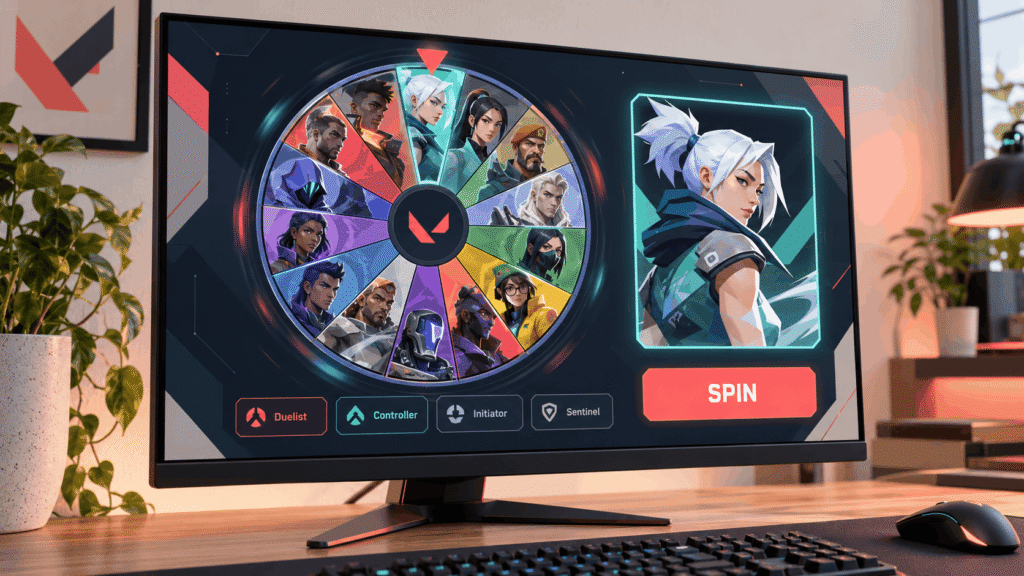
A Valorant agent wheel is a browser spinner that gives every playable agent an equal slice, lands on one at random, and expects you to play whatever comes up, which turns agent select from a debate into a five-second decision. As of October 24, 2026, that means 29 agents spread across four roles, Duelist, Controller, Initiator and Sentinel, with Hush, a telekinetic Duelist, scheduled to join on October 27, 2026.
I started using one after a month of locking the same two mains in every Unrated lobby and getting steadily worse at everything else. A random result takes the ego out of the choice. Nobody argues with a wheel, and role filters let a group keep the spin honest without leaving five people with zero smoke between them.
The real enemy a wheel fights is comfort picks, not boredom. Once the pick stops being yours, you start paying attention to what the round needs instead of what you feel like playing that night.
Rosters age faster than most people expect. Riot Games adds agents several times a year, so a wheel is only as useful as it is up to date: I still find spinners that stop at Vyse, while better ones already carry Miks, the Controller added in Season 2026 Act 2. Counting the slices against the live roster before you trust a run of random agent picks takes ten seconds and saves an awkward “wait, who is that?” in the lobby.
How Do You Use a Valorant Agent Wheel Before a Match?
You use a Valorant agent wheel by loading only the agents you can actually lock, spinning once, and committing to the result before the agent-select timer runs out. The order of those steps matters more than the tool you pick, so this is the routine I follow every session:
- Entry list: decide whether the full roster or a single role goes on the wheel, and cut locked agents you haven’t unlocked yet.
- Fair draw: spin once and let the pointer settle; the stopping point is the answer, not a suggestion.
- Play whatever lands: lock the agent in straight away, before second thoughts arrive.
- Removed after a spin: when friends are drawing too, strip each winner so nobody repeats a pick.
Setup speed is the part most guides skip. If your wheel has a Text Mode, paste a roster in one go rather than clicking names in by hand; it’s the quickest way to rebuild the list when a new agent drops.
A phone does the job just as well as a monitor. A mobile optimized wheel lets me spin between rounds of a deathmatch warm-up, so the decision is already made by the time the next match pops and I’m loading into agent select.
What Does Each Valorant Role Do on the Wheel?
Each Valorant role covers one job in a round: Duelists take first contact, Controllers block sightlines, Initiators find enemies, and Sentinels lock down a site, so a wheel that lands on a role is really handing you a responsibility. The table below sorts the current roster and adds one map where each job tends to shine.
| Role | Job in a round | Current agents | Map example |
|---|---|---|---|
| Duelist | Open the site and win first fights | Iso, Jett, Neon, Phoenix, Raze, Reyna, Waylay, Yoru (Hush from Oct 27) | Raze on Bind and Split |
| Controller | Block vision for crossings and plants | Astra, Brimstone, Clove, Harbor, Miks, Omen, Viper | Viper on Icebox and Breeze |
| Initiator | Find enemies and set up the fight | Breach, Fade, Gekko, KAY/O, Skye, Sova, Tejo | Sova on Ascent and Haven |
| Sentinel | Hold a site and watch flanks | Chamber, Cypher, Deadlock, Killjoy, Sage, Veto, Vyse | Cypher on Haven and Split |
Map-specific strengths are only half the picture. Agent synergies such as Sova + Raze, where an arrow reveals a corner and a grenade clears it, explain why two average picks can beat two strong ones that don’t talk to each other. The same pairs also decide map control in the opening seconds of a round.
Difficulty isn’t spread evenly inside a role either, which is why Skill-Level Filtering exists. Beginner-friendly names such as Phoenix, Sage, Brimstone and Sova forgive slow reactions, while High-ceiling picks like Jett, Astra, Yoru and Viper punish a shaky first week.
A wheel can also hand all five players a Duelist. Five duelists and no smoke leaves a gap in utility that no amount of aim fixes, and nobody has coverage of the flank. Role-locked spins exist to stop exactly that.
Why Would You Let a Wheel Choose Your Valorant Agent?
Letting a wheel choose your Valorant agent forces you to learn the parts of the game your usual pick hides, from crosshair placement on a Sentinel to post-plant setups on a Controller. The value comes from what you discover in the kits you never touch, not from the randomness itself.
Players stuck in one-trick habits usually know every dash and updraft timing on Jett and have no idea how a turret or an alarmbot changes a site retake. I was one of them. The first week of spinning felt like losing, then it started to feel like seeing the other half of the scoreboard.
Instalocking also hides a team problem. When you’re the self-sufficient player who never adapts, you’re fine in solo queue until the lobby needs you to be one of the flexible teammates who fills smoke. A wheel trains that reflex without anyone having to ask.
There’s an esports angle too. VCT teams keep wide pools, and off-meta picks regularly surprise opponents who prepared for the usual lineup. You don’t need meta knowledge at that level to benefit; spinning into unfamiliar playstyles gives you new strategies to steal for your favourite agent later.
Is a Valorant Agent Wheel Actually Random?
A well-built Valorant agent wheel is random in the way that matters: each agent holds the same share of the circle, and the landing spot for every spin is drawn fresh with no link to the spins before it. The math is easy to check yourself.
A spinning wheel with 24 equal-sized segments gives each agent roughly a 4.2% chance per spin, and a wheel with 25 options drops that to exactly 4%. The fairness only breaks when someone turns on weighted choices and stretches one slice, which is fun for a joke “mostly Reyna” wheel and useless for practice.
Streaks still happen, and they feel rigged. Getting Sage three times in a row looks suspicious, yet a decision wheel built to land on one at random keeps no record of the last result, so a streak is just chance doing what chance does. If your group hates repeats, Non-repeating mode removes them on purpose, trading a little randomness for variety.
You can reshuffle and spin as many times as you like, and that’s exactly the trap. Re-spinning until your favourite agent appears turns a fair tool into a slow way of picking your main.
Which Agent Roulette Challenges Can You Run With Friends?
The challenges that hold up with friends are a strict play-what-you-get run, a two-step spin that picks a role and then an agent, and a counter-pick drill against the enemy lineup. Each one teaches something different, so I rotate them across a week. If your group also plays Overwatch, the Overwatch hero wheel runs the same challenges with tank, damage and support heroes.
The strict version teaches the most. Run it in Swiftplay first, where a lost round is safer for your rank and your mood, and agree before the first spin that nobody swaps. My group adds one rule: whoever lands a Sentinel calls holding sites for the whole half, even if they’ve never touched Killjoy.
The two-step spin fixes the lobby full of duelists. It’s also the quickest way to challenge your team to cover agents they rarely play, because nobody can dodge an entire role when the wheel has already chosen it for them.
The counter drill is my favourite of the custom-game challenges. When the enemy shows a fast dive comp, load the wheel with anchors only: Cypher’s tripwires and camera, Killjoy on multi-entrance sites, or Chamber’s teleport escapes for aggressive anchors. You learn quickly which answer actually holds and how positioning changes for each one.
Agent roulette works best with a scoreboard. Note each result and how the round went, and after ten games the pattern of what you avoid becomes obvious.
How Do You Roll a Full Team Comp in One Go?
You roll a full team comp in one go either by giving every position a role first and letting the wheel fill each one, or by spinning repeatedly with winners removed so five players get five different agents. Both methods work; they just fail in different ways.
The role-locked method is the one I trust for a five-stack. Decide the shape, say one Duelist, one Controller, two Initiators and one Sentinel, then spin inside each role. You always get smokes or flashes, the key roles never go empty, and team fight setups have the tools they need.
The quick method is plain repetition. Switch on Remove winner, pass the device around in turn, and each spin hands out an agent until five are gone, so nobody is selected twice during drafting. Without that switch, the wheel has no memory of past results, and repeated results are perfectly normal.
Squad tools go further and store team presets plus a saved layout for each role shape. That’s how a Friday group gets fair comps and balanced team comps every week when stacks get stale, without anyone redoing the roles. A stronger lineup comes from the shape of the comp, not from whoever shouts first, and nobody is left covering a missing role alone.
How Should You Shape Your Agent Pool on the Wheel?
Shape your agent pool on the wheel by starting small and widening it on purpose, keeping only agents you can play this week and adding new ones at a steady pace. A wheel with every agent loaded is fun once; a wheel built around your goals is useful for months.
I keep my Agent Pool to about eight names and exclude agents I haven’t unlocked, because a wheel that lands on characters you can’t select just wastes the spin. I save each version as a preset in my head, if not in the tool, so I always know what’s on the wheel.
The long-term target in most improvement plans is 15+ agents you can play without embarrassment. At the top end, pros prepare 10+ agents per player, but that’s a team-level job, not something a casual player needs before ranked.
Role-based wheels, or a separate wheel per map, keep each custom list short and relevant. I also add exclusions for agents I’ve banned myself from for a week.
Diverse pools pay off in a quieter way: they let you learn the different abilities that keep beating you, from the inside, instead of guessing at them from the other team’s side.
How Can Streamers Let Chat Pick the Agent?
Streamers let chat pick the agent by putting the wheel on screen and tying each spin to a chat command, so viewers decide the pick live and the streamer plays it. The format works because the audience owns the outcome.
The Stream challenge is simple: chat triggers a single spin, and you play the result with no rerolls, however painful. Because each result is generated randomly on screen, viewers rarely accuse you of rigging it.
Most streamers load the wheel in OBS as a Browser Source sized to a corner. Some tools generate an OBS URL in desktop mode that lets you carry your settings and team setup straight into the scene, so the wheel on stream matches the one you built.
Sound sells the moment. I turn on tick sounds and a drumroll effect so viewers hear the build-up, keep agent voice lines low so they don’t fight game audio, and change the pointer color to match the overlay.
Layer a weapon roulette on top for a second spin after the agent, and save proof screenshots of each result. Those screenshots end up being the best clip material when a random Yoru somehow wins the game.
Does Hesitating in Agent Select Hurt Your Team?
Yes, dithering in agent select hurts your team, because a late lock leaves four players guessing about the comp and the round starts with half the plan missing. The cost is small per game and large over a season.
I’ve watched duos spend the whole select phase passing “you go Duelist” back and forth. By the time someone finally grabs a familiar agent, the team loads in without a plan, and that kind of late pick can unbalance a comp that was one swap away from fine.
Overthinking the pick is the real problem, and it has a measurable feel. One guide on agent choice, which it calls the Agent Selection Core, says overthinking slows reaction time; in my own games the first duel does feel sharper when the choice is already settled.
A wheel helps because it makes you commit to a role before doubt sets in. You accept the agent, start planning, and gain the habit of adapting early. My rule is that faster decisions beat delayed perfection in agent select, every time.
Why Does Filling a Missing Role Balance the Team?
Filling the role your team lacks balances the comp because each Valorant role brings utility the others can’t replace, such as smoke for crossing, flashes for entry, and traps for flank watch. A team missing one of those tools has a hole the enemy will find by round three.
High-impact Duelists produce the highlight plays, but the rounds I remember winning came from structure: versatile smokes on Omen to cross, a recon bolt that found the last defender, a shock dart that cleared a corner. That round-winning utility lives in the support roles nobody fights over.
Taking the gap also changes the mood. Pressure from teammates drops the moment someone types “I’ll smoke,” and in my games focus sharpens for everyone once a role is chosen, since nobody is second-guessing the comp mid-round. That’s what the line “focus improves” in most team guides is really describing.
Skye’s non-blinding flashes and healing, or Astra’s global utility, are tools a stacked Duelist lineup simply doesn’t have. The player who would hesitate to pick them is usually the one the team needs most.
Do Pro Players Really Need Big Agent Pools?
Pro players do keep broad agent pools, because a narrow pool turns every balance patch and map rotation into a crisis for the whole team. Flexibility at that level is a requirement rather than a bonus.
The community labels for roles, Entry Fraggers, Smoke Support, Information Gatherers and Site Anchors, describe jobs rather than characters. A pro entry might play Jett, Raze or Neon depending on the map, which is why being countered on one agent never ends their game plan.
The same logic shows up in ranked. From what I’ve seen in my own friend group, players who are harder to predict and good at adapting to maps keep their rank through patches, while one-agent players slide when their pick gets hit.
Kits explain why. A Jett player who only knows Operator angles, peeking and aim duels has nothing to offer once Raze’s area denial and vertical mobility, or Viper’s molly, shut those angles down. Knowing ability timing and enemy abilities is what fills that hole.
Game sense and economy management carry across every agent. That’s why the One-Trick Trap is a ranked habit; pros are paid specifically to avoid it.
Which Spin Settings Can You Tweak?
The spin settings worth tweaking are the ones that control what the wheel remembers, how results are removed, and how many wheels run together, and most agent wheels keep them in a panel beside the spinner. Spend two minutes here once and every later session runs smoother.
I always check where my choices are stored. A privacy-first wheel with no tracking and no data collection keeps everything through auto-save to local storage in your own browser, which means clearing your cache wipes your setup. JSON import/export fixes that: export once, re-import on a new PC.
Elimination mode is the other setting I touch every session, because it removes winners automatically during team drafts. Some tools also spin 6 wheels at once, which is perfect for agent, weapon and map in a single click, and a few add an OBS streamer mode for broadcasting.
In most tools the edit panel splits into Entries, Results, and Settings. Flip the toggle for Show agent portrait if names alone confuse new players, and learn the keyboard shortcut list so you can spin without a mouse. Sharing takes 3 easy steps at most: press the Share button, save your edits, and copy the link.
What Features Make an Agent Wheel Worth Using?
The features that make an agent wheel worth using are adjustable spin timing, sound controls and separate single and team behaviour, because those decide whether the tool fits a solo lobby, a squad night or a stream. One fan tool I tested publishes its defaults, which makes comparison easy.
| Setting | Default | What it changes |
|---|---|---|
| Single spin duration | 8s | How long one agent spin runs |
| Team spin duration | 4s | How long each slot spins in a team roll |
| Spin intensity | 5 | How hard the wheel is thrown |
| Agent win, tick and drumroll volumes | 50% each | Sound levels for results and build-up |
| Username | Optional | Shows your name on results |
| Win lines | Optional | Lines announced when an agent wins |
That spin intensity sits at a default of 5 out of the box, and Reset all settings puts everything back in one click. Separate Single and Team modes matter because a team spin builds a full composition from optional role filters or saved team presets, and single and team spins share the same agent filters.
None of these tools are endorsed by Riot, so the feature list is the only quality signal you get. Check it before you commit a stream or a squad to one.
How Do You Save and Share a Custom Agent Wheel?
You save and share a custom agent wheel by editing the roster, saving it, and copying the link the tool generates, which reopens the same wheel for anyone who clicks it. Three short steps cover nearly every tool:
- Choose all agents or a subset: start from the full roster, then trim.
- Roles covered: remove any role your squad already fills, or keep a single role for a duo.
- Shareable links: save and copy the link, then post it in your group chat.
A saved link freezes your roster, so it won’t pick up regular updates on its own. Labels like 25+ agents or “through Episode 8” were accurate when someone wrote them, but Riot has added agents since and now names updates by season, so re-save your wheel on new agent release day to catch the newest additions.
The same trick works for side wheels. I keep a map picker link next to my agent wheel; both are fast and free, with instant spins, so there’s no reason to keep a stale version around.
What Is a Valorant Random Agent Picker?
A Valorant random agent picker is a free web tool that chooses an agent for you, either from the full roster or from a role or custom list you set. It’s the same idea as a wheel, sometimes without the wheel graphic.
Most pickers are a fan project rather than anything affiliated with the game’s developer, and they run as a free online spinner with no sign-up and no account required. You press Randomize Agent and get a name.
Under the hood, the better ones call the browser-native function crypto.getRandomValues(), a cryptographic random generator that gives each agent an equal chance on every spin.
Creators lean on pickers too. YouTube video concepts like playing every agent until losing or ranking up with random agents depend on a picker the audience can trust, and some players use one for rotating agents in unrated practice.
Can You Filter the Wheel by Role?
Yes, most Valorant agent wheels let you filter by role, either with a one-click role switch or by deleting every agent outside the role you need. With nothing selected, every agent is considered by default.
A wheel narrowed to one role is the backbone of the Role Flexibility Challenge: spin the role wheel, then spin inside it, and over a few weeks you cover all four roles equally. Some tools even offer a role-only selector for the first spin.
Filtering to Controllers still leaves a wide range of feel, from Omen’s teleport mobility and one-ways to Viper’s screens and Astra’s high-skill-ceiling setup.
Initiator filters show the same spread. Fade’s seize and prowler give intel without drones, while Sova leans on drone piloting to clear space before the team commits.
Can Your Whole Team Share One Agent Wheel?
Yes, a whole team can share one agent wheel as long as each winner comes off after their spin, so five players end up with five agents. The method you use decides how balanced the result is.
The simplest route is to Press Spin after switching on Remove winner after spin, and spin five times; that settles who plays which agent in under a minute. A random team composition built that way can be lopsided, so I add one rule: no more than two Duelists, because two Duelists who both need good aim for trading kills rarely leave room for anyone else.
Dedicated team tools go further. A Team Roll asks for a team name and team size, lets you Edit Team to pin a role to each slot, and fills unspecified slots with any agent. You can even randomize roles among teammates, so the full team composition is set before anyone sees which seat they got.
Can You Import Agents From a Spreadsheet?
Yes, some agent wheels accept spreadsheet imports, which is the fastest way to load a custom roster, a scrim lineup or a set of house rules. It saves retyping 29 names whenever you rebuild a wheel.
If you’d rather skip the file, a plain list works the same way: one agent per new line in the entries box, typed line by line, and the wheel updates instantly.
There’s no fixed entry limit on the tools I’ve used, so one file can hold agents, maps and rules or weapons together. Swapping between saved files means replacing entries wholesale instead of editing names one at a time, which is far quicker when your group changes the rules every week.
What Custom Game Modes Can You Build on the Wheel?
You can build almost any custom game mode on an agent wheel by swapping agent names for maps, guns or house rules, then spinning before each round. The agent versions are where most groups start.
Random Roulette is the base mode: lock whatever lands and track performance over a week. Full random means each player spins once and lives with it, Role first adds a second spin inside the drawn role, and an Unrated warm-up gives you a fresh agent every game.
Counter-Pick Training is the clever one. After loading in, read the enemy comp and spin only counter-agents; against Jett + Reyna, a common drill offers Cypher, Killjoy or Sage. Map-Specific Agent Mastery is slower, with one wheel per map built from agents who suit it.
If you prepare these lists in a spreadsheet, the import accepts .xlsx, .xls, .csv, .ods and .txt files, and you choose the sheet and column to read.
Can You Add the Agent Wheel to OBS?
Yes, you can add an agent wheel to your broadcast by loading the wheel’s page as a web source in your streaming software, and some tools generate a dedicated link that keeps your filters. Setup takes about two minutes.
A wheel with a one-click green screen lets you key out the background and float the spinner over gameplay, which looks cleaner than a boxed web page in the corner.
Pair it with chat-controlled commands on Twitch: !agent triggers a spin, !challenge adds a random agent plus a weapon restriction, and !team rolls a full five-agent comp for your squad.
Because each tool is an independent fan app, check that the link still works after updates before you go live. I test mine in a private scene every time a new agent arrives.
Is the Agent Wheel an Official Riot Tool?
No, Valorant agent wheels are fan-built tools, and none of the ones I’ve checked are made or approved by Riot. That matters most for what the wheel can and can’t see.
A fan-made wheel can’t read your account, so it doesn’t know which agents you own. Free-to-play players have to follow the “Remove Agents You Don’t Own” rule by hand, keeping free rotation picks and anything bought with Kingdom Credits, plus planned purchases if you want a preview of who to unlock next.
Stream stunts are fan territory too. Viewer Interaction ideas like letting chat pick for 24 hours, or a Bronze to Radiant climb on random agents, are creator formats, not Riot features.
Should You Use the Agent Wheel in Ranked?
Use the agent wheel in ranked only with a pool you’ve already practised, because a random pick you’ve never played costs your teammates real rating. Unrated is where the wheel should do its teaching.
The Agent Pool Builder approach is the safe middle ground: start with 3 confident agents, add one new agent per week, and play 10 Unrated games on each newcomer first. Aim for a 10-agent pool split as 2 Duelists, 2 Controllers, 3 Initiators, 3 Sentinels, then spin only that list in ranked. A gradual agent pool keeps retakes and post-plants from turning into guesswork.
One wheel guide claims flexible players climb faster in high-rank lobbies and recover quicker after patch nerfs. That isn’t an official Riot tool or a published stat, but it matches what I’ve seen.
If you stream, the Educational Series format fits: a five-step episode where you spin a rarely picked agent, watch a guide, play ranked with commentary, review the VOD, and share learnings.
Which Agents Are on the Wheel, and Is the List Current?
A current Valorant agent wheel should hold 29 agents as of October 24, 2026, rising to 30 when Hush, a Duelist, releases on October 27, 2026. Any wheel with fewer slices is missing someone, and the table shows how far behind published wheels can be.
| Wheel snapshot | Agents listed | Missing against the live 29 |
|---|---|---|
| A 23 entries wheel | 23 | Gekko, Miks, Tejo, Veto, Vyse, Waylay |
| A wheel of 24 agents | 24 | Five names (its full list isn’t shown) |
| Two 25-slot wheels ending at Vyse | 25 | Tejo, Waylay, Veto, Miks |
| A list of 30 | 30 | None; it already includes Hush ahead of release |
| A role-sorted picker | 29 | None (Hush not yet added) |
The 23-entry wheel also spells Reyna as “Renya,” which breaks any search for her name. Small errors like that are why I count slices before trusting a wheel.
Good wheels say they include every agent released when that version was built. If the latest agents are missing, type each name on its own line in the entry box and spin again.