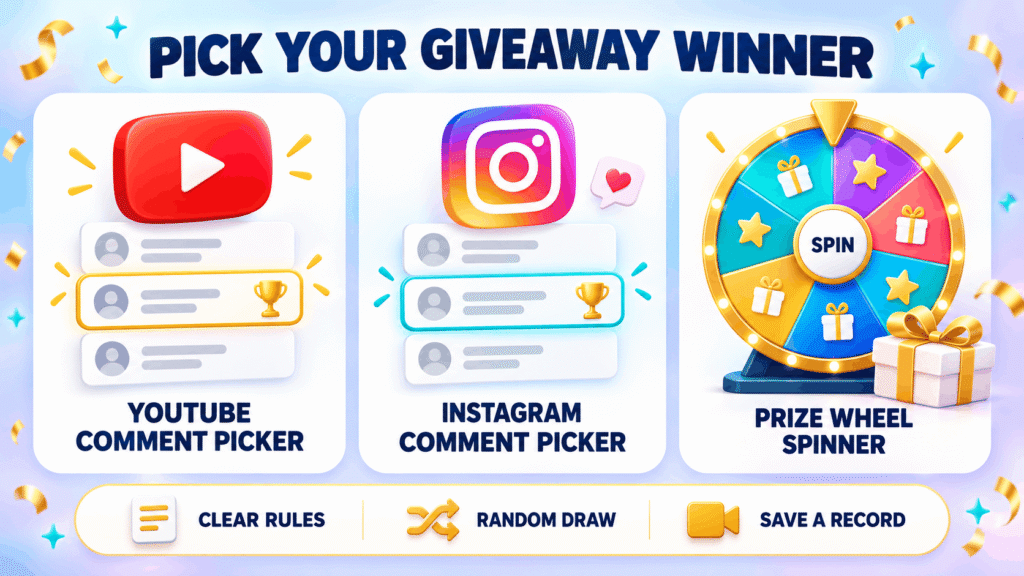
Running a giveaway? These tools pick winners in the open, so entrants can see that nobody chose by hand. Draw from YouTube or Instagram comments, or spin a prize wheel at your counter, in class or on stream.
- YouTube Comment PickerDraw giveaway winners from a YouTube video's comments.
- Instagram Comment PickerPaste Instagram comments and draw a fair giveaway winner.
- Prize Wheel SpinnerAn online prize wheel for shops, events, classrooms and streams.
- Giveaway WheelSpin a wheel of entrants to pick giveaway winners live.
Giveaway Pickers: How Do You Pick a Fair Giveaway Winner?
A fair giveaway winner is picked by loading every valid entry into a random picker, filtering out entries that break your rules, and drawing where your audience can watch. WheelySpin has three free tools for this: the YouTube Comment Picker for video comments, the Instagram Comment Picker for post comments, and the Prize Wheel Spinner for prizes won in person or on stream.
Choosing a name is the easy part of a giveaway; proving you didn’t cheat is the hard part. That’s why hosts hand the choice to software: one service reports 75,000+ giveaways per month, and another says creators have run 20M+ giveaways through its tools.
The fair process looks the same everywhere: clear rules, a random draw and a record people can check. Run the draw on a live stream or make a screen recording, and draw a couple of reserves in case the first winner never replies.
For in-person giveaways, the prize wheel runs in full screen on a TV or tablet at a booth. Online, none of WheelySpin’s pickers ever ask for your password.
Which Giveaway Picker Fits Your Giveaway?
The right giveaway picker depends on where your entries live: in YouTube comments, in Instagram comments, or with people standing in front of you.
| Tool | Where entries come from | Rules it can apply | Best for |
|---|---|---|---|
| YouTube Comment Picker | Comments on a public YouTube video | Removes duplicate comments, keyword misses and comments with few likes | Channel giveaways |
| Instagram Comment Picker | Comments you copy and paste from your post | One entry per person, a tag count, a required hashtag, and skipping your own account | Any contest post whose comments you can copy |
| Prize Wheel Spinner | Prizes you type in, or a ready-made shop or classroom list | Removes a prize once it’s won | A till counter, events and streams |
The Instagram picker works from pasted text, which sounds old-fashioned but has a real upside: nothing you paste leaves your browser. It also handles TikTok or Facebook comments, as long as each line starts with the person’s name.
Entries that didn’t come from comments, like form entries or a sign-up sheet, belong on the random name picker or the main wheel. Either way, you pick winners in public instead of by hand. Many comment pickers elsewhere also read YouTube Shorts.
How Does a Comment Picker Choose a Winner?
A comment picker chooses a winner by collecting every comment on the post, removing the ones that break your rules, and drawing at random from what’s left.
- Load the entries. Paste a public video link for YouTube, or paste the copied comments for Instagram.
- Filter. Keep one entry per person, then check rules like tagged friends, a required keyword or a minimum number of unique friends.
- Draw. The picker’s random algorithm chooses from the qualified entries, giving each one equal chances.
- Confirm. Contact the verified winner, and move to a reserve if they don’t qualify or don’t reply.
How good step three is depends on the generator. WheelySpin draws with your browser’s cryptographically secure random generator, the same kind used for encryption, so no comment is favoured. You can test it yourself with the randomness audit.
In my experience, step two is where giveaways actually go wrong. Hosts add extra names for bonus entries or forget to strip duplicates, and the draw stops being transparent even though the generator is fine.
Which Filters Should a Giveaway Draw Use?
A giveaway draw should only use filters that match the entry rules you published, because every filter is a rule that disqualifies someone.
| Filter | What it checks | Use it when |
|---|---|---|
| One entry per person | Repeat commenters count once | Almost every giveaway |
| Tag count | The number of @mentions in a comment; a minimum mentions setting of 2 handles “tag 2 friends” | Your rules ask entrants to tag friends |
| Keyword or hashtag | The comment contains a set word; matching usually ignores capitalization and accepts any one term from a list | You asked for an answer or a hashtag |
| Likes | Drops low-like comments | Spam-heavy videos |
| Hearted only | Draws only from comments the creator hearted | You’ve pre-approved entries |
| Excluded names | Skips listed usernames; on WheelySpin it’s the Exclude these names box, and one tool matches each @-handle in a case-insensitive way | Always, for your own account |
Then apply filters sparingly. YouTube keeps subscriptions private, so no picker can verify a “must subscribe” rule. The honest workaround is to open the winner’s channel yourself after the draw.
How Do You Prove a Giveaway Draw Was Fair?
You prove a giveaway draw was fair by publishing the rules before the draw, running it where people can watch, and keeping a record anyone can check afterwards.
- Before the draw: Write down your rules, including the selection method and the draw date.
- During the draw: Pick several winners at once, so runners-up in positions 2 and 3 are ready if winner 1 can’t be reached.
- After the draw: Announce the winner and share a public draw record with the result.
Not all randomness is equally checkable. Many pickers use a standard pseudorandom number generator (PRNG). Others run a Fisher–Yates shuffle seeded by a CSPRNG and publish the details, which makes the result publicly verifiable: anyone with the record can rerun the draw.
Some tools label their last step “Determine Winner”, but the step that stops complaints is the one after it. A record posted alongside the result answers “was it rigged?” before anyone asks.
Do You Need to Log In to Pick a Giveaway Winner?
No, you don’t need to log in to pick a giveaway winner with WheelySpin, and a trustworthy picker never asks for your social media password.
Tools get comments without your account in one of two ways. Most ask you to paste a public post URL, and the tool fetches all public comments itself. WheelySpin’s Instagram picker has you paste the comments themselves, so it never touches Instagram’s API at all.
Either way, you shouldn’t need to grant API access, sign up or log in. Some services push registration for extras, but a basic draw is usually just this: select the post, set your rules, and press START or Pick winner.
What Should Your Giveaway Rules Say Before the Draw?
Your giveaway rules should say who can enter, how to enter, when entries close, what the prize is, and how the winner will be picked.
Rules are what make sweepstakes and promotions defensible. No picker makes a giveaway FTC-compliant on its own; your T&Cs do. Write the entry method in plain terms: comment once, mention a friend, follow the account.
Spell out the limits too. State the maximum entries per person, whether the same entry can win twice, and that you’ll exclude past winners and block the host account from the draw. In my experience, those few lines prevent most disputes.
If a prize wheel is involved, list the prize amounts and winning chances. On WheelySpin’s prize wheel every slot has equal odds, so three 10% off slots and one big-prize slot make the big prize a 1-in-4 win. Add try again slots if some spins win nothing, and remember that more winners mean higher prize costs.
Which Posts and Comments Can a Picker Read?
A giveaway picker can read public comments on public posts, but private posts, Stories and some hidden comments are usually off-limits.
Coverage varies by tool. Across the market you’ll find a Facebook Comment Picker, a TikTok Comment Picker, and pickers for Bluesky, Threads, Reddit and X (Twitter), plus tools for LinkedIn and Twitch. One large service lists 8 supported platforms.
Instagram photos and Reels work with most pickers, but Stories don’t, because their comments aren’t exposed to tools. Private accounts won’t load, and neither will posts with comments disabled or an age restriction on the profile.
Watch out for comment replies too. Some pickers count them and others skip them. Check before you draw, because replies are often “good luck!” chatter rather than real entries.
How Many Comments Can a Free Giveaway Picker Handle?
Free giveaway pickers usually cap the number of comments in each draw, and paid plans lift that cap for larger draws.
Paid tiers elsewhere add scheduled exports, an ad-free screen, a personal dashboard or access to 100+ tools. Some services offer unlimited free giveaways as long as each stays under the comment limit, with no credit card needed, funded by ads and partners.
Bigger bundles often include a wheel of fortune built to capture leads: you customize the wheel’s design, embed it on your website and trigger it with an exit-intent popup. That’s a marketing tool rather than a giveaway draw, and it collects visitor data.
WheelySpin’s giveaway pickers stay free, with no sign-up and no paid tier to unlock the basics.
When Should You Use a Prize Wheel Instead of a Comment Picker?
Use a prize wheel when people win the moment they play, like a customer at a till, a student in class or a viewer on stream. Use a comment picker when you draw once from a list of entries.
The two overlap more than you’d think. A wheel of names reveal is popular even for comment draws. Some pickers export a 10-second MP4 with a spinning-wheel reveal in 9:16 (1080×1920) format, complete with confetti and fireworks, downloadable for 30 minutes.
A prize wheel works best when everyone gets a turn. WheelySpin’s Prize Wheel Spinner holds your prize list, can drop each prize once it’s won, and spins with a tap on a touchscreen.
If entries come from a form instead, an entry form giveaway page or a plain name list feeds the draw. To split winners into groups afterwards, try the Random Team Generator. Collect the names first, then spin.
Should You Pick a Winner Directly or Export Comments First?
Pick a winner directly for a quick draw, and export the comments first when you need a full record or the picker can’t reach the post.
Exporting is the workaround for private Facebook Groups: export the comments manually, upload the CSV to a picker that accepts files, and draw from that. A spreadsheet of entries also makes your own checks easier.
Some pickers build the record for you. An audit trail lists every commenter with their status, plus the failed rule and rejection reason behind any disqualifications, and the winner marked. It’s searchable and can be downloaded as CSV. One service keeps audit data for 48 hours but stores winners’ records permanently.
Are Giveaway Pickers Free?
Yes, most giveaway pickers are free for standard draws, and all three WheelySpin giveaway pickers are free with no sign-up. Other tools’ free tiers stop at limits like 100 results per draw, 250 comments or 300 comments. Bigger draws cost extra, either pay-per-giveaway from $2.99 or a Premium plan at $9.99 per month, which one service bills through Patreon.
Can You Pick More Than One Winner?
Yes, you can pick more than one winner, since WheelySpin’s YouTube and Instagram pickers draw several winners and reserves in one go. Set the number of winners to match how many winners your rules promised. On the prize wheel, tick “Remove the winner after each spin” so the same gift card can’t be won twice.
Is a Giveaway Picker Really Random?
A good giveaway picker is random, but the best proof is a record anyone can check, not the claim itself. Some tools share a verification link showing the seed and winning index, so anyone can replay the draw. Pin that link, or a public link to the results, under your post.
Do You Need an Account to Use a Giveaway Picker?
No, most giveaway pickers, including WheelySpin’s, work without an account. Avoid any tool that asks for credentials, API tokens or account access. Tools that skip connected accounts also keep your profile safe from bans or restrictions.
Which Platforms Do Giveaway Pickers Support?
Giveaway pickers support most public social posts, and YouTube, Instagram, Facebook, TikTok and X are the most widely covered. Facebook Page posts and Group posts usually work, some tools read Instagram IGTV, and X pickers draw from replies to a single tweet. Story comments can’t be drawn from, and some Facebook pickers have replies included by default.
How Do You Exclude Past Winners or Your Own Account?
You exclude past winners or your own account by adding their usernames to the picker’s exclusion list before you draw. Some tools can also block unwanted user accounts or filter by account age, skipping accounts younger than N days. Keep your eligibility rules in line with whatever you exclude.
Can You Require Tags or a Keyword to Enter?
Yes, you can require tags or a keyword by setting a minimum tag count, or a particular hashtag or word that each comment must include. Common examples are #giveaway, the word DONE or an emoji. Some pickers also check follows and likes on Instagram, while WheelySpin’s paste-based picker checks only the comment text.
Does a Giveaway Picker Make Your Giveaway FTC-Compliant?
No, a giveaway picker doesn’t make a giveaway compliant; your published rules do. State the country and age limits, the closing date and timezone, and the prize value in USD. Say the platform is not a sponsor, and don’t require entrants to share on their personal timeline. In the US, prizes over $5,000 may require 1099-MISC reporting, so check local rules for anything large.
Why Won’t a Picker Load Comments From Some Posts?
A picker won’t load comments when the post is private, comments are turned off, or the platform hides some of them. Comments held-for-review or shadow-blocked on YouTube, login-walled comments on TikTok and X rate-limits can all shrink the count. If a tool’s Scan Comments or Find Attendance step comes back short, use comment exporters to save the full datasets, then run the picker on the export.
Can You See Which Entries Were Rejected?
Yes, some giveaway pickers show every rejected entry along with the rule it failed. Filters on comment like count, comment date or most comments should all appear there. Results can also come with a video certificate or image certificate, and an Excel export feeds your analytics later.
Can You Run Multiple Giveaways at Once?
Yes, you can run multiple giveaways at once, as long as each has its own rules and entry list. Give each one its own who can enter line and its own entries close time. Scale isn’t the issue: one service reports 2,964,000+ giveaways, another offers 13+ apps after 11+ years in business, and draw limits elsewhere climb to 5,000 on a Personal plan, 50,000 on Premium and 250,000 on Business.