What Is a Random Pokémon Generator and How Does It Pick?
A random Pokémon generator is a browser tool that picks one to six Pokémon, or a single type, by chance, with optional filters for region, type, legendary status, evolution stage and form so the result can seed a team run, a single-type challenge or a sketch.
I started leaning on these tools when my own choices kept drifting back to the same favorites from Generation 1. A roller with its number selector set to six breaks that habit quickly, and the better pages let you add any other Pokémon you care about to the pool. Hand the choice to chance, then live with whatever lands.
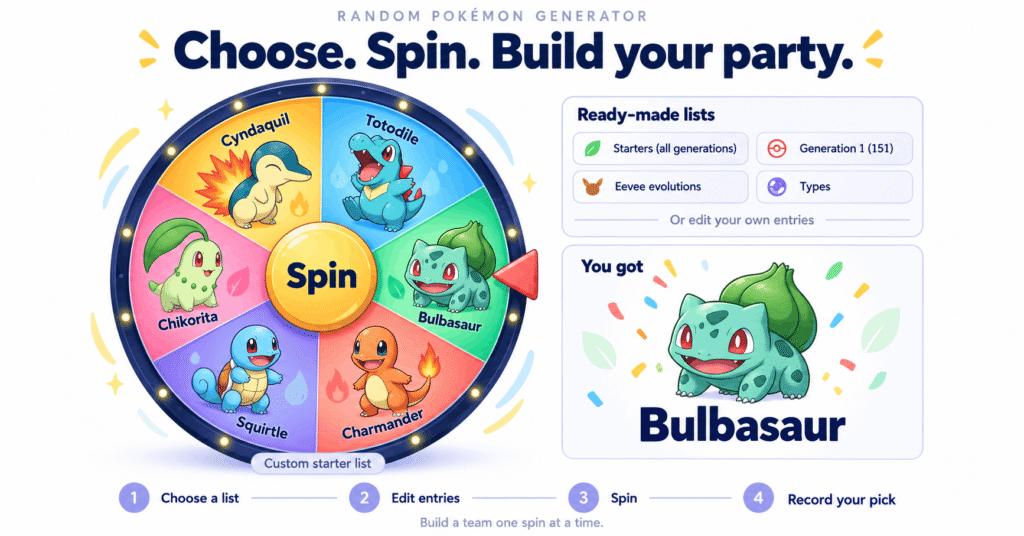
Not every page works the same way. Some pull from a full database that includes Paradox Pokémon, Ultra Beasts and regional variants, while others are short preset lists built around the Eevee family or each generation’s opening partners. A third kind only rolls a type, which suits a Monotype run better than a species pick.
Almost all of them are fan-made projects that open in a desktop browser such as Chrome or Firefox with no install. Phone versions exist as well, but the one store listing I checked sits at 1.0 stars, so the browser page is still the route I recommend.
How Do You Use a Random Pokémon Generator Step by Step?
Using a random Pokémon generator comes down to four moves: choose the pool, set how many picks you want, roll, and then commit to what comes out.
- Custom filters: settle the pool first, whether that means the original 151, a type set, or a full database with All Regions ticked and All Legendaries switched off so mascots stop crowding the roll.
- Team possibilities: pick how many slots to fill; six matches a full party, while one or two works for a single replacement after a faint.
- Try your luck: press the roll control. At least one site states that its results come from the browser’s secure random generator, so no popular species gets a quiet boost.
- Build your party: copy the picks into your notes before you look at them too closely, so a disappointing roll cannot be quietly rerolled.
The preset lists behave a little differently. Choosing the Eeveelution set means every outcome is one of the eight evolved forms, which is handy when a friend asks which one to raise. A preset is a closed menu, while a filtered database is a funnel, and knowing which one you are using saves confusion when a favorite never shows up.
My own habit is to write the house rules down before the first roll. Rerolling “just once” feels harmless, yet it quietly turns a chance pick back into a personal choice.
Can You Pick Random Pokémon From One Region Only?
A random Pokémon generator can limit picks to a single region through a region filter, and the fuller tools split that filter into nineteen ticks, including Select All plus version-specific lists for paired games and expansions.
That extra detail matters more than it looks. A region box is not just a generation number, because paired games and remakes often changed which species appeared, so a tool that offers separate lists for an enhanced version gives a sharper result than one that only says “Gen 4.” The Starters from each generation also sit inside these regional lists, which is why a single-region roll sometimes lands on a partner Pokémon.
The category selector sits beside the region list, next to an All Types box, and on one tool six picks are selected by default. Region filters also stack with category boxes. Ticking one region and leaving Sub-Legendary Pokémon switched on still lets roaming birds and beasts through, while Mega Evolutions and Gigantamax Forms only appear when the matching era is ticked and the form box is enabled.
A personal tip: a single-region roll works best for a replay of an older game, since the picks match what you can catch on that cartridge. For a game made by Game Freak with a big post-game dex, I tick two neighboring regions so the pool feels less thin. For random picks in other games, browse all our game wheels.
How Do Type Filters Narrow a Random Pokémon Roll?
Type filters narrow a random Pokémon roll by limiting the pool to species carrying the ticked types, out of the 18 types in the main series, so a pick only comes from the elements you allow.
Type-only pages handle the job differently from species pickers. One asks you to roll 3 Types, 5 Types or 10 Types in a batch, then offers Show All to list the full set and a Download button for the result, and its sample output showed four types at once. Since every species carries one or two types, a dual-typed pick passes the filter if either of its elements is ticked. Another page is a wheel maker with 18 slices, one per element, and you can build custom spin wheels like it in seconds.
The setting I use most is Unique types, which exists to prevent repeats within a single roll. Without it, a six-slot roll can hand you two or three species of the same element, which wrecks coverage before the journey starts.
A practical warning from experience: ticking only one element and then asking for six picks can empty the pool on small regions. When a roll comes back short, widen the region before you widen the elements. And if you Can’t decide which elements to allow at all, pressing New on a type-only page and accepting the first answer is a perfectly fair method.
What Does a Pokémon’s Type Decide in a Fight?
A Pokémon’s type decides which moves hit it hard and which of its own moves deal double damage, so a rolled type tells you roughly how a pick will fare in battle before you check a single move.
The table below sums up the standard chart in plain terms. The left column lists what each element hits for double damage, and the right column lists what deals double damage to it.
| Type | Hits for double damage | Takes double damage from |
|---|---|---|
| Normal | Nothing | Fighting |
| Fire | Grass, Ice, Bug, Steel | Water, Ground, Rock |
| Water | Fire, Rock, Ground | Electric, Grass |
| Electric | Water, Flying | Ground |
| Grass | Water, Ground, Rock | Fire, Ice, Poison, Flying, Bug |
| Ice | Grass, Ground, Flying, Dragon | Fire, Fighting, Rock, Steel |
| Fighting | Normal, Rock, Steel, Ice, Dark | Flying, Psychic, Fairy |
| Poison | Grass, Fairy | Ground, Psychic |
| Ground | Fire, Electric, Poison, Rock, Steel | Water, Grass, Ice |
| Flying | Grass, Fighting, Bug | Electric, Ice, Rock |
| Psychic | Fighting, Poison | Bug, Ghost, Dark |
| Bug | Grass, Psychic, Dark | Fire, Flying, Rock |
| Rock | Fire, Ice, Flying, Bug | Water, Grass, Fighting, Ground, Steel |
| Ghost | Psychic, Ghost | Ghost, Dark |
| Dragon | Dragon | Ice, Dragon, Fairy |
| Dark | Psychic, Ghost | Fighting, Bug, Fairy |
| Steel | Rock, Ice, Fairy | Fire, Fighting, Ground |
| Fairy | Dragon, Fighting, Dark | Poison, Steel |
I roll a few sample Pokémon types before a session and read the row for each. A rolled type is a forecast, not a verdict. Knowing that a Dragon pick fears Ice and Fairy lets you anticipate the gyms that will hurt, and dual typing can cancel a weakness entirely.
Can You Limit Rolls to Legendaries, Evolution Stages or Special Forms?
A random Pokémon generator can limit rolls to legendaries, evolution stages or special forms when it offers category, stage and form boxes, and the fuller tools let you tick each group on or off before rolling.
The legendary group usually splits into five classes, from roaming trios to time-shifted species and extradimensional visitors, and the mythical event-only species sit in their own box. I switch the whole group off for any run that starts at level five, because a box legendary in the opening route drains the challenge out of the game.
Stage boxes are where the real tuning happens. Picking only the basic forms keeps the early game honest, while ticking only the final forms gives an instant end-game squad. For a Starter roulette, I tick only the basic forms and let the roll pick my first partner. The Names Only view pairs well with stage filters for a quiz night, since nobody can guess the stage from a sprite, while Images Only works better for younger players.
Form toggles cover regional variants, battle-only transformations and size-changing forms. I leave the Advanced panel closed for a first roll and open it only once the base result feels too wild, which keeps the setup quick. Rolling Natures, Genders and Abilities in the same panel adds a second layer for experienced players.
How Do Display Settings and Shiny Tracking Work?
Display settings in a random Pokémon generator control whether each result appears as a picture, a label or both, and the shiny tracker counts how often a roll turns up an alternate-colored sprite.
The sprite view is what most people want, and some pages even advertise themselves as a generator WITH PICTURES. A sprite-only view turns the roll into a “who’s that Pokémon” game, and hiding the labels turns a Drawing challenge into a test of sketching from memory. Label-only output is faster to copy into a spreadsheet, and Alternate Forms show up as separate sprites in picture view.
The shiny feature is pure luck with a tally attached. Every roll has a small chance to catch a shiny Pokémon, and the page keeps the count until you wipe it. I treat a shiny in a six-slot roll as a mandatory party member, which adds a nice bit of drama to a challenge run.
Extra fields for temperament, sex and special talents sometimes appear beside the picks, and they are worth a glance before a competitive build. The Reset, Previous and Next controls let you step back through earlier results, which is useful when a friend asks what the roll was two picks ago.
What Challenges Can You Run With a Random Pokémon Generator?
The most popular challenges built on a random Pokémon generator are a six-pick random squad, a single-type run, a randomized first partner and a sketch-from-recall game, and each one works with Nuzlocke rules layered on top.
I like the squad roll for random team challenges because it forces a new kind of team planning. A roll heavy on Unevolved picks means grinding early, while a roll full of Fully Evolved species makes the opening routes easy and the post-game hard. A mixed roll of Evolved Once and Evolved Twice picks is the sweet spot for a fair run.
A single-type run rewards players who know their strengths and weaknesses by heart. A Grass team stays weak against Fire, Ice, Poison, Flying and Bug, so I plan battles around the few super effective answers the team can reach. Experienced trainers usually reroll if the type has fewer than six choices in the chosen region.
The sketch game is my favorite at parties. Rolling drawing prompts with the label view on and the sprites hidden keeps everyone honest, and it pairs well with a Not Fully Evolved filter so the shapes stay simple. I set the display mode to Names and Images for the reveal afterward.
If the shiny counter ticks up during a squad roll, that shiny joins the team, and I press Clear your shiny Pokémon before each new run so the tally stays honest.
Where Is a Random Pokémon Type Spinner Useful?
A random Pokémon type spinner is useful anywhere a quick, fair choice helps, from deciding a playthrough theme to settling giveaways and quick decisions in a Discord server.
A wheel version needs you to spin six times for a full squad, and a big spin button reads well on a stream overlay. A Legendary Pokémon only wheel is a popular prize draw too. I keep one open during stream giveaways because the result is visible to everyone at once, which ends arguments about bias. Type rolls also work as tie-breakers for themed tournaments, where each entrant must build around the element they draw.
Type rolls are also a decent study aid. Rolling a type and naming what is resistant to it, or which moves are not very effective against it, is a quick drill for matchups. I run five rounds of that before a ranked session, and it sharpens my reads on attacks better than reading a chart.
The phone side is thinner. The one store app I looked at sits in the Tools category with a content rating of Everyone, was last updated on Sep 12, 2023 with notes that only say Initial Release, and reports 5K+ downloads.
Is There a Random Pokémon Generator App on Google Play?
Yes, there is a random Pokémon generator app on Google Play, but its listing is small and user feedback says it does not work reliably, so a browser tool is the better pick today.
The listing promises that you can roll species based on your own suggestions and then fight with them, which sounds like more than a picker offers. In practice the user reports describe an app that never gets past loading, and the listing has not changed since its first release. It also has no affiliation with Nintendo or The Pokémon Company, despite the name.
A browser web app avoids most of that risk. Pages built with JavaScript run on Windows, Mac and Linux, and in Safari or Edge as well, so there is little reason to install a separate app. I keep a browser tab pinned instead of an app icon, and it has never failed me during a session.
If you still want a phone version, check the update date and recent reviews before installing, because a dead app gives you nothing to compare against your Pokémon games.
Is a Random Pokémon Generator an Official Pokémon Tool?
No, a random Pokémon generator is not an official tool, because these pickers are made by fans and carry no endorsement from the companies behind the franchise.
That status has practical effects. Species data, sprites and stats are typed in by volunteers, so a newly revealed form can take weeks to show up, and an error in a type chart can sit unnoticed for a long time. I double-check any surprising result against an in-game Pokédex before building around it, and a fan tool cannot tell you whether a Mythical Pokémon event is still running.
Privacy is the other angle. The one phone app I checked declares no data shared with third parties and no data collected in its data safety section, while the browser tools need no account at all. That makes them easy to share with your friends without worrying about sign-ups.
The Gotta catch ’em all slogan belongs to the official series; a fan picker simply borrows the spirit for rolls done for fun.
Does a Random Pokémon Generator Include Every Pokémon?
A random Pokémon generator includes every Pokémon only when it is built on a full National Pokédex database; preset tools cover a fixed set such as the 27 starters, the Eevee evolutions and the first-generation roster, and you add others to the list yourself.
The preset approach is not a flaw, just a different job. A wheel that holds every starter answers one question well, while a full database answers many. The full tools reach all 1,025 species by splitting the dex into the region boxes below.
| Region box | Games it follows |
|---|---|
| Kanto | Red, Blue and Yellow |
| Stadium Rentals | Rental roster of the first Stadium game |
| Johto | Gold, Silver and Crystal |
| Stadium 2 Rentals | Rental roster of Stadium 2 |
| Hoenn | Ruby, Sapphire and Emerald |
| Sinnoh | Diamond and Pearl |
| Sinnoh (Platinum) | Platinum’s expanded dex |
| Unova | Black and White |
| Unova (B2W2) | Black 2 and White 2 |
| Kalos | X and Y |
| Alola | Sun and Moon |
| Alola (USUM) | Ultra Sun and Ultra Moon |
| Galar | Sword and Shield |
| Hisui | Legends: Arceus |
| Paldea | Scarlet and Violet |
| Kitakami | The Teal Mask expansion |
| Blueberry Academy | The Indigo Disk expansion |
| Lumiose City | Legends: Z-A |
Phone apps are a weaker bet on coverage. The one store app I checked has 17 reviews but only 16 ratings, and one review dated January 18, 2024 says it did not generate a single pokemon. Reviews from December 31, 2023 and March 30, 2024 say the app doesn’t work or will not open at all.