What Is a Times Tables Wheel and How Does It Work?
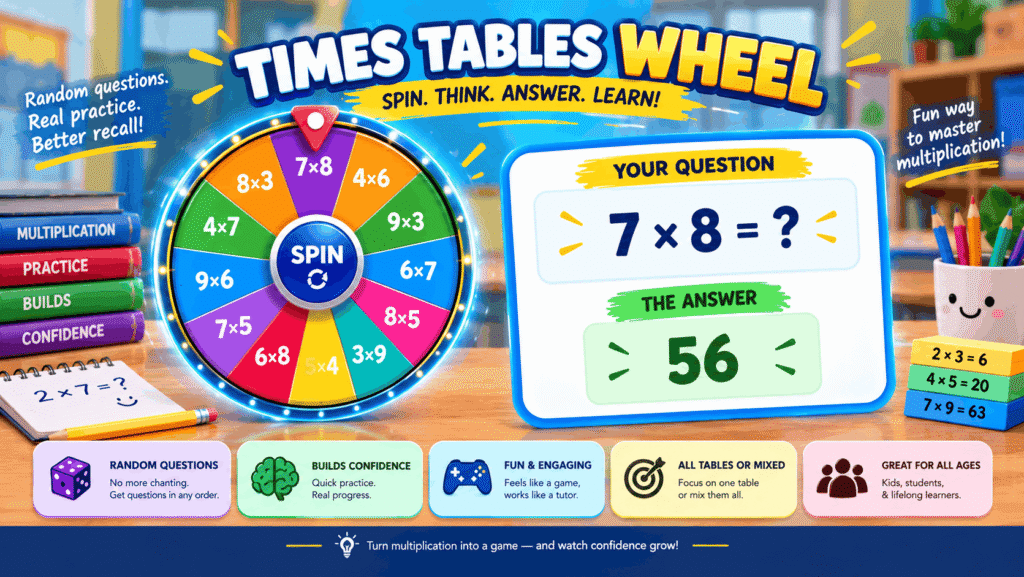
A times tables wheel is a spinner that lands on a random multiplication question, makes the learner answer it first, and only then shows the product, which turns one table or a mixed set of facts into a quick, unpredictable quiz.
The paper version came first. A printed times-table wheel puts one number in the hub and the multipliers around it, and for years it sat in maths folders as a low-effort drill sheet. The spinning version keeps that circle but adds chance, so a child can no longer recite a table in order and coast on rhythm.
That unpredictability is the whole point. Facts arrive out of sequence, the products sit as hidden answers until someone checks, and one wheel on a projector can run a mixed review for a whole room at once. In my own tutoring, the jump from “I can chant the sevens” to “I know 7 × 8 cold” usually happens on shuffled questions, not chanted ones.
A spinner also does something a chart cannot. A chart lays out every times table in one grid, which is great for spotting patterns and weak for testing recall; the wheel is its grid twin turned into a game. Both belong in the same toolkit, and the sections below cover when each one earns its place.
How Is a Multiplication Wheel Laid Out?
A multiplication wheel is laid out as three rings: a center factor in the hub, a ring of numbers to multiply by, and the products on the outer ring.
Some older worksheets call these times tables target circles, and the name fits, because the layout works like a target with a single factor at its bullseye. On a ×7 wheel, 7 sits in the hub and every answer on the edge is a multiple of 7. Designers describe the shape as hub and spoke, and the metaphor holds up: each spoke is one fact.
Learners can trace a finger from the hub, through a number on the next ring, out to its answer. That physical path makes “7 groups of 4” something a hand does, not only a phrase a voice says. I have watched younger pupils pick up the idea faster this way than from rows of written sums.
The layout also runs backwards. Cover the ring of multiplying numbers instead of the edge and the same wheel tests division facts, because a pupil sees 28 on the edge and 7 in the hub and must find the missing 4. Adding zero to the ring makes the ×0 fact visible too, which catches pupils who think anything times zero stays the same.
How Do You Spin and Check a Times Tables Wheel?
You spin and check a times tables wheel by choosing a table, spinning, answering aloud or on paper, and only then revealing the product to see whether you were right.
The order matters more than it looks. The wheel lands on a random multiplication fact, the product stays hidden, and only when someone presses Show the answer does the wheel reveal the result. Skipping straight to the reveal turns practice into reading, so I keep one rule with my own groups: no button until an answer is out loud.
The table itself is chosen from the list above the entries. Only the ready-made multiplication facts carry a hidden product, so anything typed by hand, like 56 ÷ 7, into the entries box needs a teacher to judge it. Run full-screen, the wheel fills the board, and the same spin can drive a game:
- Beat the wheel: the class calls out the product before the wheel stops spinning.
- Team points: teams take turns and score a point each for a correct product.
- Around the world: one pupil answers one spin, then passes it on to the next seat.
- Quick check: tick Remove the winner so the session will cover every fact once.
How Do Teachers Use a Multiplication Wheel in Class?
Teachers use a multiplication wheel in class as a short routine: one table chosen at the start, a few rounds of answering, and a reveal after every spin.
The wheel works best as one of the whole-class warm-ups or as quick quizzes between lessons, not as a full lesson on its own. I run it on the board through the full-screen button and follow the same order each time:
- Pick a times table, for example the 7 times table, before the first round.
- Press Spin and let the wheel settle on a fact.
- Say or write the answer before anyone touches the reveal.
- Check the product, then spin again for the next pupil.
The spoken step is where I see the gains. A pupil who says the product before the reveal has committed to it, and a wrong guess sticks as a correction rather than a blur.
Paper still has a job in class. Printed wheels make good flash-card replacements at a maths station, and a square aspect wheel fits neatly on half-page centers, so pupils who finish early can work through one without a screen.
Should You Use a Multiplication Wheel or a Multiplication Chart?
Use a multiplication wheel when one table needs drilling, and use a multiplication chart when a learner needs to see how all the tables connect.
Reading around a wheel gives the same facts as reading one row of a chart; the difference is focus. A circular times-table aid hides every other table, which makes it friendlier for a pupil who freezes at the sight of a full 12-by-12 grid. The comparison below is how I decide which to hand out:
| Question | Multiplication wheel | Multiplication chart |
|---|---|---|
| How many tables at once? | One factor | Every table from 1 to 12 |
| Length of the fact set | 1–10 or the classic 1–12 ring | 12 rows and 12 columns |
| Best moment to use | Practising a single table | Spotting patterns across tables |
| Works as | An excellent fast alternative to written times tables questions | A reference sheet |
The usual advice is to start with the chart and move to drills later. For a nervous learner I go the other way: a single wheel first, because finishing one ring feels like a win, and the grid makes more sense once a few rows are already solid.
How Do You Print a Multiplication Wheel Well?
Print a multiplication wheel well by matching the file type to the job: vector SVG for anything you will resize or edit, and PNG for a fast print straight from the browser.
Some printable wheel makers let you export both formats for free, so the choice is about use, not cost. SVG lines stay sharp at any size, which matters for printable classroom décor that hangs at the front of the room. PNG is lighter and opens anywhere, so it suits a compact circular handout run off ten minutes before a lesson.
Check which drawing method produced the file. A precise wheel is drawn by the generator with exact numbers, while an AI sketch is a decorative drawing, so I only print the precise kind for anything pupils will mark.
For practice copies, switch to blank products before printing. The hub and the ring of multipliers remain on the page, the edge is empty, and one sheet becomes a quick worksheet.
What Do Ready-Made Times Tables Wheels Look Like?
A ready-made times tables wheel usually looks like a times tables spinner with one written fact per slice, and one shared KS2 classroom version holds 26 facts drawn from the ×2 to ×6 tables plus a single ×10 fact.
Its template type is a plain spin the wheel activity, where each press decides which item comes up next. Grouped by the second number, the 26 slices look like this:
| Table | Slices on the spinner | Count |
|---|---|---|
| ×2 | 5 x 2, 8 x 2, 10 x 2 | 3 |
| ×3 | 2 x 3, 7 x 3, 13 x 3, 15 x 3, 1 x 3, 8 x 3, 17 x 3, 1000 x 3 | 8 |
| ×4 | 16 x 4, 3 x 4, 5 x 4, 10 x 4, 23 x 4 | 5 |
| ×5 | 8 x 5, 9 x 5, 6 x 5 | 3 |
| ×6 | 8 x 6, 7 x 6, 0 x 6, 6 x 6, 18 x 6, 2 x 6 | 6 |
| ×10 | 8 x 10 | 1 |
Look at what slipped in: several facts sit well past the usual tables, and one has a four-digit factor. I like that mix, because a learner who knows the small facts by heart still has to stop and split the bigger numbers, which is mental strategy rather than recall.
How Does a Mixed Times Tables Spinner Differ From a Single-Table Wheel?
A mixed times tables spinner tests recall across many tables in random order, while on a single-table wheel one factor sits in the center and every fact shares it.
Printed single-table designs show the contrast clearly. A ×7 Multiplication Wheel with every product shown works as a reference, while a ×9 Fill-In Challenge hides a seeded subset of the products. Each comes from an exact engine render, meaning the software draws the wheel exactly rather than imagining it.
Decorative versions are a different tool. A textbook-style Classroom Fact Wheel looks tidy on a wall, and an SVG with infinite zoom stays crisp when it is enlarged, but neither tests anything until a learner has to produce the answer.
My own split is simple. The single wheel builds a table, and the mixed spinner checks whether that table survives when it is shuffled among others. Learners who skip the first stage tend to guess on the spinner, and guessing teaches nothing.
Can I Practice Just One Times Table on the Wheel?
Yes, a times tables wheel lets you practise one times table at a time, simply by choosing that table before the first spin.
Drilling one table is the right starting point for most new learners, because it keeps the hub number fixed while only the second number changes. On paper, a Blank ×5 Practice Wheel with blank product slots does the same job without a screen.
My usual order is fives and tens first, then twos, then the ×9 table with its finger trick, and the sevens and eights last. That order is personal preference rather than a rule, but it means the hardest facts arrive when the learner already trusts the format.
Which Times Tables Can a Multiplication Wheel Cover?
A multiplication wheel can cover any table from the 2 times table to the 12 times table on spinning versions, and printable generators accept any hub number from 1 to 12.
The Mixed setting pulls facts from every table up to 12 × 12, which is the closest a wheel gets to the full 1–12 landscape of a chart. For a single ×12 table, the ring of multipliers can stop at 10 or run all the way to 12.
Zero is optional. You can include zero so the zero fact is on the ring, or leave it off for a traditional layout. Whatever hub number you pick on a precise generator, every product is correct, so the only choice that matters is how far the ring runs.
Can You Make Blank Multiplication Wheels for Practice?
Yes, you can make blank multiplication wheels for practice, and the most useful setting is one that blanks only part of the edge.
A fully blank wheel leaves the outer rim empty, so the learner reads the centre circle, multiplies by each number in the middle circle, and writes the result. When you blank the products this way, the multipliers stay visible as scaffolding, which keeps the task about recall rather than guessing what to do.
Fill-in practice is the gentler option. That mode hides only some products, so the learner gets a few anchors and avoids staring at a completely empty wheel, which I have seen put anxious pupils off before they write a single number.
Are the Products on a Generated Multiplication Wheel Always Correct?
The products on a generated multiplication wheel are correct when the wheel is drawn by the generator’s exact mode, but a decorative image is not a safe source of answers.
A multiplication wheel generator that calculates each slot will match the hub number every time, whether you print full products, a fill-in mode sheet, or a ×3 Wheel Including Zero. Choosing to include 0 on the ring simply adds ×0 = 0, which is still exact.
An AI illustration is different. It is made to look attractive, like a poster, and its numbers are part of the picture rather than worked out, so I would check every digit before giving one to a class.
Can You Practise Division on a Times Tables Wheel?
Yes, a times tables wheel can practise division, because the same three rings can be read from the outside in as well as from the hub out.
On a printed wheel the number in the centre multiplies each neighbouring number in the inner ring to give the outer value, so 3 x 4 = 12 reads both ways. If the inner number is shown, children calculate the value on the edge; if the edge is shown, they work back to the inner number instead.
That reverse reading turns any factor you choose into a small fact family center: 3, 4 and 12 become four related sums. On a digital wheel the same idea needs typed questions, which the teacher checks by hand.
Does a Times Tables Wheel Work on a Classroom Screen?
Yes, a times tables wheel works on a classroom screen, as long as it is shown full-size so pupils at the back can read each fact.
Large displays reward simple designs. I scale up the wheel until the numbers are readable from the last row, and I keep the slice count low enough that each fact still has room. A cheerful Colorful Times Wheel Poster can sit beside the screen as a reference during the game.
For rooms without a display, printed wall posters cover the same ground, and a quick classroom print of a single wheel per desk means every pupil gets a turn without waiting for the board.
How Can Teachers Use Multiplication Wheel Worksheets?
Teachers can use multiplication wheel worksheets for short independent work in class and for practice at home, since one sheet covers a whole table.
A typical multiplication wheels worksheet fits on one printable page, arrives as a free download, and sits under KS2 Maths for Key Stage 2 pupils. Learners write the answers in the outer blank circle, and some versions come with an AI editable version you can adjust in a worksheet editor before printing.
The worksheets work best as regular practice, a few minutes each day, and they pair well with online games that test the same table from a different angle.
How Do Multiplication Wheels Help a Child Learn?
Multiplication wheels help a child learn by turning the times tables into short, repeatable rounds that build multiplication fluency without long written exercises.
Learning through play keeps the rounds short enough that pupils ask for another, which is rare for homework practice. A times tables menu pack alongside the wheel lets a learner choose the next challenge.
Wheels also let you give extra focus to the tables causing particular difficulty. If the sevens keep tripping a learner, I load a wheel with only sevens for a week, and the improvement in quick mental maths usually shows up within a few sessions.
How Can You Help a Child Get Better at Mental Maths?
You can help a child get better at mental maths with short, regular bursts of practice, mixing songs, movement, and quick spinner games rather than long sheets of sums.
Times tables are the foundation for most KS2 numeracy, because multiplication and division facts feed into almost every later calculation. A child who recalls 6 × 7 instantly has spare attention for the harder part of a problem.
I rotate three formats through the week: a song for the table on Monday, a clapping or action game midweek, and a spinner round on Friday. That mix builds mental arithmetic skills without any one activity going stale, and the wheel at the end shows whether the table has stuck.