How Do You Pick a Random US State Online?
You pick a random US state online by loading a state picker with all 50 states, narrowing it to one region if you want, and pressing spin so the tool lands on a single state for you. The good tools finish that in one click, with no list scrolling at all.
A random state generator is usually a virtual wheel or a one-click list, offered as a free tool in the browser. Some versions add a Census region dropdown built on the four Census regions, and some make every round repeat-free so a class never sees the same state twice. One list-style site even jokes that its state page is a great start to a DIY witness protection program, which shows how casual the use cases can get.
I have used these pickers for geography games with kids, for travel inspiration when a long weekend had no plan, and as a plain tiebreaker between friends. The engine underneath is the same one a Wheel of Names runs on, so an honest spinner should feel unbiased whichever of the 50 slots it stops on.
What Is a Random US State Generator and What Does It Cover?
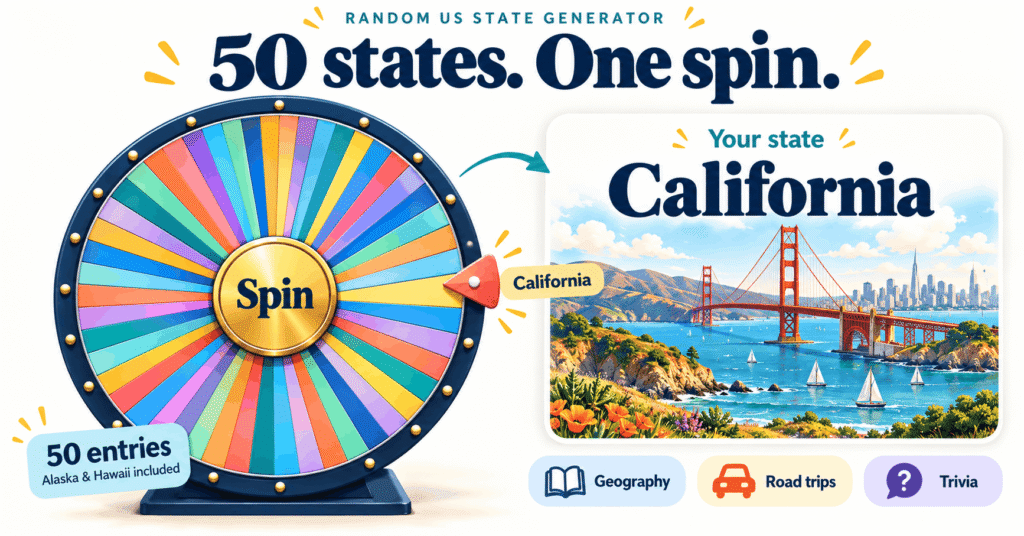
A random US state generator is a picker that holds all 50 US states as equal entries and returns one of them at random, either as a wheel with Slices (50) or as a list result. The 50 states are the standard set, and Washington, D.C. stays off unless you add it yourself.
Display varies more than coverage. Wheel versions let you choose a country first, because the same engine also handles regions abroad, and they show each entry as Flag & Name, flag only or name only. That is why I lean on them for international regions as much as for geography lessons about the US. List-style pickers pair each state with a map image and a nickname instead, which suits travel prompts better. For a city instead of a state, spin the random city wheel for a famous city in the USA or around the world.
A state picker is really one dataset among many. The list-style sites that offer states also randomize:
- Places: Lakes, Locations, Directions and Vacations.
- Addresses: California Addresses, Canadian Addresses, Florida Addresses, London Addresses, New York Addresses, Oklahoma Addresses, Texas Address, UK Addresses, Street Names and a full street address with a zip code.
- Zip Codes: California Zip Codes, Canadian Postal Codes, Area Codes and a single random zip code.
- US Cities: listed next to Fake Cities, European Countries and Colleges.
Seeing that range helps you spot when a fixed state list is the wrong tool and custom wheels are the better fit.
How Do You Spin for a Random State Step by Step?
You spin for a random state by confirming the entry list, setting any filters, pressing the spin button and reading the result before deciding whether to go again. This is the order I follow whenever I set up a state picker for a class or a trip.
- default country: Confirm the picker is set to the United States, since wheel tools that cover other nations start there and not all countries are offered.
- checkbox: Tick or untick single states so the wheel holds only the ones you want.
- 1, 3, 5, or 10: On list-style pickers, choose how many states come back per pull.
- Settings button: Adjust speed, sound and colour before the first round so nothing changes mid-game.
- spin the wheel: Press the main button and wait for the pointer to settle.
- All Results: Check the running log, or hit Rerun on a list picker to pull a fresh batch.
The step people skip is the first one. I once opened a geography warm-up with the wrong country still selected and spent a minute explaining why a Canadian province had landed. If the built-in list never fits the lesson, load your own choices instead of fighting the preset.
Can You Narrow a Random State Pick by Region or Skip Alaska and Hawaii?
Yes, a random state pick can be narrowed to one region or limited to the 48 states that border each other, and the stronger generators offer both as one-tap options. Region choices follow the Census Bureau’s grouping, while the continental option drops Alaska and Hawaii in one move.
The continental switch matters most for road-trip planning. When I use a picker for road-trip math, measuring the distance from your town to the result, an island landing ruins the exercise, so I trim the two outliers before anyone spins. Wheel tools without a dedicated switch let you include or exclude single entries, which takes longer but gives finer control.
A narrowed pool does not change how each draw works. The engine stays pseudo-random and every remaining entry keeps an equal share, which is different from Weighted Choice, where you deliberately make some entries land more often. For spontaneous decisions, some people even run up to six wheels at once, one per region plus a couple of tiebreakers.
Region practice pairs well with naming the capital out loud first and only then using a click to reveal control, so the guess always comes before the answer.
What Do the Nicknames on a Random State List Tell You?
The nicknames printed on a random state list give each result a memory hook, a short phrase tied to the state’s history, landscape or climate that sticks better than the name alone. List-style pickers place the nickname right under each state, so the clue arrives together with the answer.
History explains a lot of those phrases. “Fifty Nifty United States” is the song title one list site opens with, crediting the 13 original colonies for how the count began. Several nicknames point back to that founding era, which quietly turns a random pull into a small history lesson.
In practice I use the nickname as a fun fact prompt before the state is even read out. It also helps spelling, because students who remember the phrase tend to anchor the harder names. For travel research, a nickname is a decent first sorter, hinting at deserts, beaches or mountains before you plan stops on a real route.
Who Gets the Most Out of a Random State Picker?
Classrooms, travelers and game hosts get the most out of a random state picker, because each group needs a fair, fast way to land on one state without arguing about it. The three groups use the same tool in very different ways.
In educational settings the pick usually starts a task: research the state, present it, or race to find it. A Guess the State Flag round works well, and a collect link lets each pupil send their own result to the teacher. For group activities, a Simultaneous Multi-Wheel setup pairs a state with a second wheel of tasks.
Travelers use the same spin to choose a weekend solo flight or a family road trip. Hosts hide the slices with a Mystery Wheel, and my line to the room is always the same: finish making your guess, then we reveal.
The nickname clue helps every group. A list-style picker returned these twelve states with their nicknames, and I added each capital:
| State | Nickname | Capital |
|---|---|---|
| Alabama | Heart of Dixie | Montgomery |
| Alaska | The Last Frontier | Juneau |
| Arizona | Grand Canyon State | Phoenix |
| Arkansas | The Natural State | Little Rock |
| California | The Golden State | Sacramento |
| Colorado | Centennial State | Denver |
| Connecticut | Constitution State | Hartford |
| Delaware | The First State | Dover |
| Florida | Sunshine State | Tallahassee |
| Georgia | Peach State | Atlanta |
| Hawaii | Aloha State | Honolulu |
| Idaho | Gem State | Boise |
Which Wheel Settings Can You Change Before You Spin?
Most state wheels let you change how fast and how long the spin runs, which sounds play, how the wheel looks, and how the entries are named and ordered. Setting those before the first round is what the Configure step in most guides means.
Speed and duration usually sit in one panel, sounds in another and colours in a third. On a phone the settings sit in the mobile menu, with list actions such as sorting under a More menu, while on desktop and tablet the controls sit beside the wheel. Wheels described as fully editable let you change each of the 50 entries too, which is how you would swap a state name for its abbreviation.
Branding is the part people forget to check. A school or streamer may want its own logo in the middle of the wheel, and some tools keep that behind a paid tier. If you stream, look for a green screen background so the wheel can be keyed over video.
Two habits save me trouble here. I set Title 1 and Title 2 through the Title button before a lesson starts, and I keep a backup of any wheel I spent real time customizing.
Can You Hide the States Until the Wheel Stops?
Yes, many state wheels can hide their entries, either by covering every slice so nobody can read the names or by keeping the result private until you choose to show it. Those two options solve different problems, and I use them at different moments.
Covering the slices is for trivia nights and classroom quizzes. If players can read the wheel, they start reading ahead instead of thinking. With the labels masked, the ticking sound builds tension and the winning sound marks the stop, but the state itself stays secret.
Holding back the result is better for a test your knowledge round. The announcement pop-up stays blank until the host reveals it, which gives everyone a few seconds to commit to an answer. Once the state appears, a share icon next to the Single Result sends that one pick to a group chat.
Should a Picked State Stay on the Wheel or Drop Off?
A picked state should stay on the wheel when every spin needs the full 50 options, and drop off when each person or round must get a state nobody else had. The default mode keeps all entries in place, while Elimination Mode removes each winner automatically.
List-style generators handle the same idea with a round counter. One begins each round with a starting example already shown, leaving 49 of 50 unseen choices, and keeps that progress as you change settings. That is the cleanest way I have found to avoid repeats without touching a wheel at all.
Removing winners has side effects. The wheel shrinks, so I like to Shuffle between spins to break up alphabetical runs, and the log of the current visit grows as the wheel empties. When the class ends, Clear Results and reload the full list. Headings behave in a similar way: they cycle in order with each spin, and Restart Sequence sends them back to the first.
How Do You Add a Title or Rotating Labels to a State Wheel?
You add a title to a state wheel by opening its title section from the inputs panel and typing a heading, and some tools let you queue several headings that rotate with each spin. A heading tells the room what the spin is for, and whether the session is for fun or practice.
Rotating headings are where this gets useful for teachers and students. I set one round as a flag quiz, the next as mottos and the third as capitals, so the same wheel changes job each spin and every pupil gets a different state and a different question. That beats keeping three separate classroom pickers open in tabs.
Looks should follow the heading. Match the Theme, Tool Colors and text Style to the activity, and add a Banner if the tool allows it. At a party, a heading that pairs a person and a dare keeps the round clear.
A heading that shows only a question mark keeps the purpose secret until the reveal. When you later gather participant results, a clear heading keeps each answer tied to its round.
Where Can You See, Save and Share Every State You Have Spun?
You can see every state you have spun in the results log that most wheels keep beside the spinner, and you can save or share that log as a link or an image. The log is the quick way to check what came up without relying on memory.
Each entry in the log carries the state and, on some tools, the heading it landed under, so result titles stay attached. In elimination play the log also lists the eliminated states, and a tally view counts how often each state appeared, which pairs well with a spin count setting when you want a fixed number of rounds. List-style generators instead let you set the number of results per pull.
Saving is mostly automatic. Auto-Save & Sync keeps a wheel in local storage on that device, so a refresh does not wipe your list. For raffles with tiered prizes, I copy the log right after each confetti burst, send Share Links to the giveaway participants, and use Read Aloud so the winner hears it announced.
What Changes When You Open the State Wheel Full Screen?
Full screen makes the state wheel fill the display and hides the editing panel, so the room sees only the spinning wheel and the result. The Inputs section disappears, but the results log still opens.
This is the view I project for a map race. The wheel is readable from the back row, the first student to find the state on a wall map wins, and I start spins from the keyboard with Ctrl + Enter so I never touch the mouse. On wheels that hold results back, a press Enter reveal works the same way in this view.
Before going full screen I set the Page Color and the Timing tab, since the panel is out of sight once the wheel takes over. A short spin and a clear end sound keep a projected game moving. Streamers get a similar clean view through OBS Streamer Mode, which one wheel says works with Streamlabs.
What Extra Features Do Some State Wheels Offer for Streams and Groups?
Some state wheels add streaming backgrounds, several wheels spinning at once, saved setups and file import, which matter most when you run a wheel for an audience or a group. A basic picker needs none of them.
For streams, the key setting is wheel transparency, so the wheel sits over gameplay or a camera feed. A background image, button animation and a color-changing spin button add polish, though several of those sit behind a Premium tier. Hit the full-screen button before going live and the panel stays off camera.
For groups, multiple wheels turn friendly challenges and party mini-tasks into one spin, with the state on one wheel and the task on another. The same setup works for team drafts, or as a food wheel at a road-trip stop. Streamers running loot games use weights for rare drops.
Data handling separates casual tools from serious ones. A list-style picker may only remember progress in the same browser tab, while full wheels move entry lists in and out as CSV files. I look for a wheel that names its browser RNG, which keeps the entertainment honest.
Can the Same Tool Randomize Something Other Than States?
Yes, the same tool that picks a US state can randomize almost any list, because the wheel only cares about entries, not what they mean. Swap the 50 states for another set and it behaves exactly the same way.
The nearest swap is geographic. A country wheel picks a nation first, and a state-and-province wheel then picks a region inside it, which I use during world-geography weeks. Another easy swap is a list of the biggest cities in each state for a follow-up round.
For anything else, Create your own wheel from scratch. Paste the entries, rename any that are too long for a slice, and Sort A to Z so you can check nothing is missing. In my experience full-screen view enlarges the wheel enough that even a long list stays readable on a projector.
When a wheel takes real effort, Import / Export it as JSON so you can load it next term without rebuilding it.
Is a Random State Wheel Truly Random?
A random state wheel is random enough for any game or classroom, though its results come from a computer algorithm rather than physical chance. On a full wheel, each of the 50 states has the same 1-in-50 shot on every spin.
The visible motion is mostly theatre. A spinning speed set anywhere from level 1 to level 10, a spinning time of 1s to 30s and a random initial angle all change how the spin looks, not which random segment wins. That is why a list-style picker can show a plain “Randomizing” message and be just as fair.
Fairness claims rest on what the tool does not do. One wheel site states it runs no pre-processing and no decision-making algorithms before the stop, which leaves no hook to cheat with. I once tracked the scores view over a few hundred spins, and the counts spread out the way chance predicts, with no state running away.
Can Anyone Fix the Outcome of a State Spinner?
No, a properly built state spinner cannot be fixed by the person spinning it, because the stopping slice is chosen at random rather than by the force of the click. Pressing the center of the wheel or the spin button only starts the draw.
The usual suspect is the manual stop option in the Spin Behavior panel. It feels like a skill shot, yet the result is still drawn by the engine, and changing timing settings does not shift the odds either. Players in trivia races ask me about this constantly, so I set clear rules before the first spin.
The trust question really sits with the code. One wheel says it uses the browser’s cryptographic random number generator with nothing decided server-side, which is the setup I would look for in any random wheel used for prizes.
Can You Make Some States Come Up More Often?
Yes, some state wheels let you give certain states extra weight so they come up more often, which helps when one region needs more practice. Weighting is open and deliberate, so the wheel is not rigged; it simply gives bigger slices to the states you chose.
Without a weight setting you can get the same effect if you add or edit slices, entering a state twice so it holds two of 51 positions. Wheels built for fast editing make that quick, and some list tools let you Randomize your custom list with the duplicates left in.
Check the result over time. The accumulated counts in the tally view show whether the weighted states really appear more, and you can reorder the entries so duplicates are not side by side, which makes a repeated landing segment look less suspicious. Turn weighting off before any draw that needs unique winners.
How Do You Stop the Same State From Coming Up Twice?
You stop the same state from coming up twice by switching on the option that takes each winner off the wheel, often labelled Remove the winner after each spin. After 50 spins, every state has appeared exactly once.
Leave Normal Mode on only when repeats are fine, such as a daily warm-up. List-style generators track seen states instead, and changing filters mid-round does not reset that progress.
If pupils spin on their own devices from a shareable link, each copy is separate, so I assign regions rather than relying on removal. The same habit applies to a raffle wheel: drop the winner, then spin again. Keep the full list saved nearby, because once the wheel is empty you will need all 50 entries back for the next group.
Can You Share a Custom State Wheel With Friends or Students?
Yes, a custom state wheel can be shared by creating a link from the share button, usually at the top right of the page, and sending it to friends or students. Wheels marketed as easy to share keep this one click away.
Press Create Share Link, then copy it or post it straight to Facebook or Twitter. For results rather than the wheel itself, a Results Link opens a page of past picks, or you can download a results image for slides.
Saved wheels that live only on the same device do not travel, so share a link or Copy the wheel into a new one before you switch computers. I send the link the night before class so pupils can test it at home, and I keep my original untouched in case someone edits their copy.
Which Regions Does a Random State Generator Use?
Random state generators that offer a region choice use the US Census Bureau’s regions: the South with 16 states, the West with 13 states, the Midwest with 12 states and the Northeast with 9 states. Those four counts add up to the full 50.
The groups are uneven, and that matters for practice. A Northeast round runs out fast under elimination, while a South round lasts nearly twice as long. When the region you’re studying is not one of the four, edit the list by hand.
Delaware and Maryland surprise people by sitting in the South grouping, which is worth pointing out before a quiz. For capital practice, I find region rounds better than all 50 at once, because neighbouring states share history and their capitals start to cluster in memory.
Can You Use a Random State Generator to Practice Capitals?
Yes, a random state generator works well for practicing capitals: spin, say the capital, then check it with a Reveal capital button or a hidden-result setting. One list-style tool shows only the state and its two-letter code until you ask.
A Mystery Result wheel does a similar job by holding back the state itself. Then Pick another and repeat; in my experience ten rounds a day helps students memorize the set faster than a printed list. Copy name pastes the state, its code and its region into notes, but not the capital, so the answer stays your own work.
Capitals also feed state reports and short study sessions. Watch the tricky to spell ones, such as Montpelier, Cheyenne and Tallahassee, and say them aloud before writing them down.
Which States Are Included, and Is Washington, D.C. on the Wheel?
A random state generator includes all 50 states, Alaska and Hawaii among them, and leaves out Washington, D.C. and the US territories because neither is a state. The district does appear in Census geography, but a tool that draws states only drops it.
Washington on the wheel always means Washington state, with Olympia as its capital. If you need the district, you can add it as an entry yourself, since wheels leave it off by default. A contiguous 48 states only option removes Alaska and Hawaii for lower-48 work.
Here is the full set with each USPS abbreviation and capital, grouped by Census region:
| State | USPS code | Capital | Census region |
|---|---|---|---|
| Alabama | AL | Montgomery | South |
| Arkansas | AR | Little Rock | South |
| Delaware | DE | Dover | South |
| Florida | FL | Tallahassee | South |
| Georgia | GA | Atlanta | South |
| Kentucky | KY | Frankfort | South |
| Louisiana | LA | Baton Rouge | South |
| Maryland | MD | Annapolis | South |
| Mississippi | MS | Jackson | South |
| North Carolina | NC | Raleigh | South |
| Oklahoma | OK | Oklahoma City | South |
| South Carolina | SC | Columbia | South |
| Tennessee | TN | Nashville | South |
| Texas | TX | Austin | South |
| Virginia | VA | Richmond | South |
| West Virginia | WV | Charleston | South |
| Alaska | AK | Juneau | West |
| Arizona | AZ | Phoenix | West |
| California | CA | Sacramento | West |
| Colorado | CO | Denver | West |
| Hawaii | HI | Honolulu | West |
| Idaho | ID | Boise | West |
| Montana | MT | Helena | West |
| Nevada | NV | Carson City | West |
| New Mexico | NM | Santa Fe | West |
| Oregon | OR | Salem | West |
| Utah | UT | Salt Lake City | West |
| Washington | WA | Olympia | West |
| Wyoming | WY | Cheyenne | West |
| Connecticut | CT | Hartford | Northeast |
| Maine | ME | Augusta | Northeast |
| Massachusetts | MA | Boston | Northeast |
| New Hampshire | NH | Concord | Northeast |
| New Jersey | NJ | Trenton | Northeast |
| New York | NY | Albany | Northeast |
| Pennsylvania | PA | Harrisburg | Northeast |
| Rhode Island | RI | Providence | Northeast |
| Vermont | VT | Montpelier | Northeast |
| Illinois | IL | Springfield | Midwest |
| Indiana | IN | Indianapolis | Midwest |
| Iowa | IA | Des Moines | Midwest |
| Kansas | KS | Topeka | Midwest |
| Michigan | MI | Lansing | Midwest |
| Minnesota | MN | Saint Paul | Midwest |
| Missouri | MO | Jefferson City | Midwest |
| Nebraska | NE | Lincoln | Midwest |
| North Dakota | ND | Bismarck | Midwest |
| Ohio | OH | Columbus | Midwest |
| South Dakota | SD | Pierre | Midwest |
| Wisconsin | WI | Madison | Midwest |