What Does a Random Math Problem Generator Do?
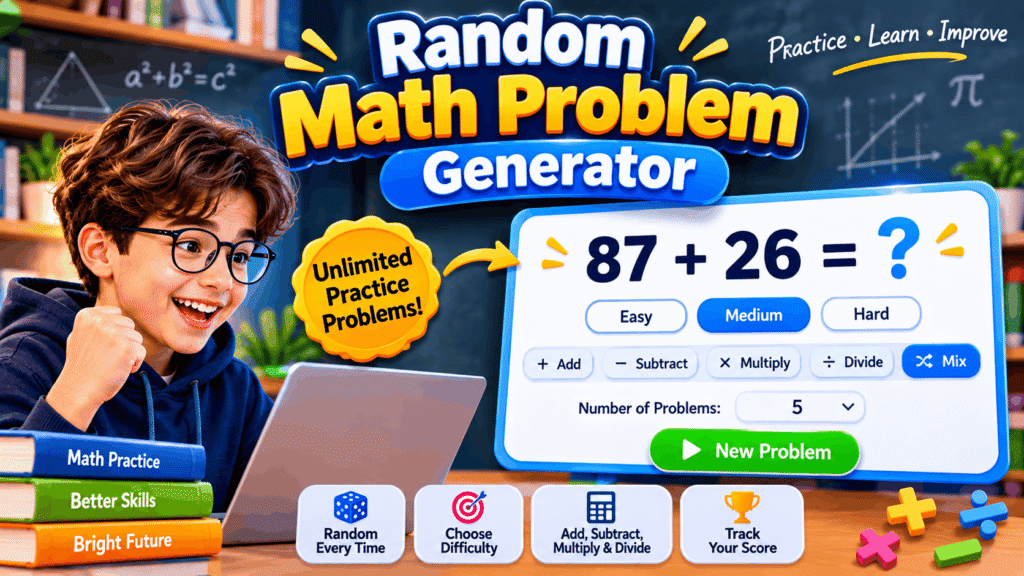
A random math problem generator makes a new math problem every time you click, so you never run out of practice. On this page you choose addition, subtraction, multiplication, division, a mix of all four, or simple algebra, pick Easy, Medium or Hard, and either solve one problem at a time or make a list of 5 to 30.
The big advantage over a textbook is that the problems are built on the fly instead of being pulled from a fixed database. You get new practice problems each time, so a student can’t memorize the answers from last week. Every number comes from a secure random source in your browser, with no fixed seed to repeat.
Practice mode turns it into a self-check game. You type your answer, press Check, and see straight away whether you were right, with a running score underneath. Teachers use the same tool for quick warm-ups on the board, and parents use it at the kitchen table.
Some generators offer far more than this, with hundreds of topics. This one stays focused on core arithmetic and first steps in algebra, the skills students need to be fluent in before anything else. Decide how many problems you want, mix the four operations if you like, and click New problem.
What Counts as a Math Problem Generator?
A math problem generator is any tool that creates math exercises automatically, from simple arithmetic drills to full topic sets with worked solutions. They range from one-click tools like this one to large customisable systems with dozens of settings.
The biggest tools are huge. One lists 170 topics, from circles, converting units, cubic graphs and directed number to doubling, halving, expressions, factors, FDP and functions. Others cover metric units, money, multiples, number bonds, place value, polygons, powers and roots, prime factors, probability, proportion and Pythagoras. The list runs on through rounding, sequences, speed, distance, time, standard form, statistics, trigonometry and bounds, with items as specific as Fibonacci sequences, the hypotenuse, surds, HCF and LCM, significant figures, and the mean, median and mode.
Algebra topics in those systems include unknowns on both sides, brackets, simultaneous equations, factorising, completing the square and inequalities. Some tools ask you to pick a grade and pick a topic first. Others are AI-based: the tool writes problems from a description, sorted into beginner, intermediate and advanced levels. Others don’t create new problems at all: they work by pulling past contest questions from a database.
That last type is useful for enrichment and contest preparation, which a simpler tool like this one can’t offer. This page covers fewer than ten topics, not 170, but it covers them well.
How Do You Use the Random Math Problem Generator?
You use the random math problem generator by choosing a type of problem and a level, deciding how many problems you want, and pressing New problem. Each press gives you a grade-appropriate set on demand.
- Choose a type: Addition, Subtraction, Multiplication, Division, Mixed, or Algebra (solve for x).
- Choose a level: Easy, Medium or Hard.
- Choose how many: 1 problem for practice, or 5, 10, 20 or 30 for a worksheet.
- Press New problem.
- For one problem, type your answer in the answer field and press Check. For a list, tick Show answers when you’re ready to mark it.
In practice mode, you can press Enter instead of Check, and you get instant feedback. A correct answer brings up the next problem after a short pause, so the practice keeps flowing. Show answer reveals the solution if you’re stuck.
In worksheet mode, Copy puts the whole list on your clipboard so you can paste it into a document. Download .txt saves the problems with the answers listed at the end. Either way, you can copy the worksheet straight into a lesson plan.
Which Type of Problem Should You Practice?
The type of problem you practice should match the skill you’re working on: addition and subtraction for early number sense, multiplication and division for times tables and sharing, and algebra once those are secure. Mixed is best for review once each operation is solid.
Times tables fluency is the base for both multiplication and division, and the times tables wheel drills those facts one at a time. Mixed mode picks from the operations at random, which is good fact practice for students who already know each one. It doesn’t include order of operations, so every problem has just one step. In the United States, the order is taught as PEMDAS, often remembered as Please Excuse My Dear Aunt Sally: parentheses, exponents, multiplication and division, then addition and subtraction.
Other countries use different names for the same rule. The United Kingdom uses BODMAS or BIDMAS, where the I stands for indices, while Canada and New Zealand use BEDMAS. Once students can do single-step problems on easy, medium and hard settings, these rules are the natural next step.
Some generators also cover fractions, decimals and percentages, which many curricula start around Grade 4. Their fraction answers come in lowest terms, decimal answers use one or two decimal places, and trailing zeros are dropped. This page sticks to whole numbers, which keeps every problem clear and every answer exact.
What Do Easy, Medium and Hard Mean?
Easy, Medium and Hard set the size of the numbers: Easy is roughly grades 1–2, Medium grades 3–4, and Hard grades 5–6. The operation stays the same, but the numbers get bigger and the problems take more steps to work out.
On Easy, addition and subtraction use numbers from 1 to 10, similar to sums to 10 and sums to 20 in early grades. Medium moves up to two-digit numbers from 10 to 99, and Hard uses three-digit numbers up to 999. Subtraction never goes below zero, so there are no negative answers, and every answer stays in whole numbers. It’s the four operations at a sensible size for each level.
Multiplication follows the same pattern. Easy uses facts like multiplication facts to 5, Medium covers the full times tables from 2 to 12, and Hard moves to multi-digit problems such as 47 × 13. Division mirrors this, and every division comes out even, with whole-number quotients and no remainders.
Some tools instead let you set a Min and Max for each topic, or a difficulty range across several groups. This page keeps three fixed levels, which is quicker for a busy classroom.
Which Grade Fits Which Problems?
The right problems for a grade depend on the numbers students are comfortable with: Kindergarten works with sums to 10, Grade 3 with numbers up to 999, and middle school moves into equations. The levels on this page cover roughly grades 1 to 6.
| Grade | Typical skills | Level here |
|---|---|---|
| Grades 1–2 | Addition and subtraction to 20, early multiplication | Easy |
| Grades 3–4 | Two- and three-digit numbers, times tables to 12 | Medium |
| Grades 5–6 | Multi-digit multiplication and division, one-step equations | Hard |
One curriculum guide places multi-step word problems in later grades and one-step equations such as x + 7 = 12 in Grade 6. Grade 7 then adds two-step equations with negative constants, like 3x − 5 = 10, and Grade 8 moves to two-sided equations such as 5x + 3 = 2x + 18. Many other tools match these core arithmetic standards with their own grade bands.
Fractions, decimals, percentages and ratios also come into many curricula around Grade 4, Grade 5 and Grade 6, along with integers and geometry. Those topics aren’t on this page yet, so pair it with your usual resources for them. The number ranges here scale steadily, so a student can move from Easy to Hard as their confidence grows.
How Does Algebra Practice Work?
Algebra practice on this page gives you an equation with one unknown, x, and asks you to find its value. Easy problems need one step, Medium problems need one step with multiplication or subtraction, and Hard problems need two steps.
An Easy problem looks like x + 4 = 9, where you subtract 4 from both sides. Medium problems look like 6x = 42 or x − 8 = 15. Hard problems combine two operations, like 7x + 3 = 52 or 4x − 9 = 31, which is where most students first meet the idea of undoing operations in reverse order.
Every answer is a positive whole number between 1 and 15 on Hard, so students can focus on the method instead of messy arithmetic. That’s deliberate. Many curricula introduce these equations in Grade 6 and Grade 7, and algebra lessons are hard enough without fractions in the answer. Getting harder problems right builds the confidence to move on.
You can type just the number or write it as x = 7, and the checker accepts both. That small detail matters for younger students, who often aren’t sure how to write their answer. Once they can solve these reliably, they’re ready for pre-algebra topics like equations with x on both sides.
Why Does Order of Operations Matter?
Order of operations matters because the same expression gives different answers if you work it out in a different order, and math needs one agreed answer. Most countries teach a fixed order, starting with brackets and ending with addition and subtraction.
The idea is easy to state but easy to get wrong. Many students read the acronym as “add before you subtract”, when in fact addition and subtraction have equal rank and are worked left to right. The same is true of multiplication and division, which is why a problem like 24 ÷ 4 × 2 equals 12, not 3.
The Wikipedia article on order of operations also notes that some expressions are genuinely ambiguous, because different conventions give different answers. That’s a good discussion point for older students, who often assume math never has two answers.
This page keeps each problem to a single operation, so order of operations never decides the answer. That makes it a good place to build fluency before adding mixed expressions. Once students are quick with single steps, combine two problems into one expression and talk through the order together.
How Does Checking Answers Help?
Checking answers helps because students find out straight away whether they were right, so they fix mistakes while the problem is still fresh. Waiting a day for marked work loses most of that benefit.
In practice mode, every answer gets instant results: Correct, with the full worked line, or Not quite, with a prompt to try again. Some tools add buttons to show steps or show all solutions from a toolbar, and a scoreboard as you type answers. Step-by-step help isn’t built in here, but the Show answer button gives the solution so a student can work backwards from it. The score shows correct answers out of attempts, which turns practice into a small personal challenge.
The checker is forgiving about format. It ignores spaces and commas, so 1,200 and 1200 both count, and for algebra it accepts x=5 as well as 5. That way students aren’t marked wrong for how they write an answer when the math is right. It’s useful for self-quizzing, test prep and unit review, and for tutors who want a student to practice alone between sessions or walk through per-student sets aimed at specific struggles.
This kind of quick checking works well alongside formative assessments in class. A teacher can see who is confident and who needs help after just a few minutes of practice.
How Do Teachers Use Random Math Problems?
Teachers use random math problems for warm-ups, quick checks, homework sets and independent practice, because a fresh set takes seconds to make. One click replaces the time spent writing problems by hand.
A common routine is a single problem on the board at the start of the lesson. Another is a worksheet of 10 or 20 problems for students who finish early. Because the list can be copied as text, it drops straight into a slide, a document or an LMS. For calling on students, the random name picker picks who answers next.
For contest-style enrichment, some sites build a problem set from past contests such as the Gauss, Pascal, Cayley and Fermat contests. One gives 25 problems for a full contest or up to 30 by topic, sorted into Part A, B, or C by difficulty. Any problem can be swapped for another with the arrows beside it, and a Printer Friendly Version prints the set. Other tools make up to 40 problems, or 1 to 40, and one lets you build 9 different groups with your own number of questions, number of columns and font size. Some print a PDF with the answer key on a separate page, or a print layout without an answer key.
Some AI tools aimed at teachers also act as a tool that checks student work: they grade handwritten answers and give partial credit against a rubric. They can still make mistakes, so work a few problems yourself before handing anything out. For differentiation, the random team generator can split a class into groups that each get a different level.
How Can Parents and Tutors Use It at Home?
Parents and tutors can use the random math problem generator for short daily practice, homework help and targeted sets for a skill a child is struggling with. A few minutes a day works better than a long session once a week.
Start with a single topic before switching to Mixed, and ask the child to attempt each problem before revealing the answer. A timer can be a motivator, but keep it light so it doesn’t add pressure. Some tools make correct answers turn green and wrong ones shake, and show an accuracy percentage, which children enjoy. Short quizzes and study sessions work better than long ones. The free online timer works well for a one-minute challenge.
Regenerate the same type and level about three times to get a wider sample of problems. Keep a notebook of missed problems and redo them later, spaced over days, a simple form of error log. Recurring mistakes usually point to one gap, and a similar question the next day shows whether it’s fixed.
For younger children, kid-friendly stories and simple English make word problems easier, which also helps ESL learners. Teach keyword clues too, such as “split into” meaning divide. Middle school and elementary students alike respond well to a visible score.
Should You Practice Drills or Word Problems?
You should practice both drills and word problems: drills build speed with the basic facts, and word problems teach students when to use each operation. This page focuses on drills, which are the foundation for everything else.
Drill practice works because it frees up working memory. A student who knows 7 × 8 instantly can focus on what a word problem is asking instead of on the arithmetic. That’s why most teachers put fluency first and add word problems once the facts are secure.
Word problems are about reading for clues. Words like “more” often signal addition, “left” signals subtraction, “each” signals multiplication, and “split into” signals division. Those keyword habits are worth teaching, though they’re not foolproof. Real word problems often need two steps, so students also need to plan before they calculate.
Dice make good story problems too: roll two numbers with the dice roller and build a scenario around them. To add word problems to a lesson, write two or three short scenarios around the drill answers, using a context your class enjoys. A quick lesson with a few drills and one story problem works well. Making the session feel like a game keeps motivation high, especially for younger students.
How Do You Make Practice Stick?
Practice sticks when it’s short, regular and focused on understanding rather than memorization alone. A few problems every day beat a long session once a week.
Mix speed and accuracy, and treat it as practice and training rather than a test. Hints help when a student is stuck, but use them sparingly. Tracking your accuracy and your elapsed time over a week shows real progress, and a correct count that climbs is more motivating than any reward. Press Enter to check an answer, and use the Tab key to move between the answer box and the buttons, so practice doesn’t drag.
Talk about the why. A student who can explain why 16/4/4 equals 1, by applying the left-to-right rule, understands more than one who just remembers a rule. The same goes for tricky expressions like 8 ÷ 2(2 + 2), which can give 1 and 16 depending on the convention. Even calculators disagree: a basic chain calculator gives 1 + 2 × 3 = 9, while a standard one gives 7.
Short sessions spread over time beat cramming. A quick coin flip can decide whether today’s warm-up is speed or accuracy. Five minutes of practice a day is easy to keep up, and a student who sees their score improve keeps coming back.
Can I Print the Problems With an Answer Key?
You can’t print directly from this page, but you can copy the list or download it as a text file with the answers at the end, then print worksheets from any document. Splitting the file keeps the answer key off the student copy, and the whole job turns a list into printable worksheets in about a minute.
Download .txt puts the problems first and the answers below, so you can delete the answer section before printing a student version. Copy works the same way when Show answers is off, and copying with Show answers on lets you copy the answer key as a teacher’s version. The text also pastes cleanly into an LMS, so printable practice sets aren’t the only option.
If you need a formatted sheet, paste the list into a word processor and add a page break before the answers.
Are the Problems Really Random?
Yes, the problems are really random: each number is picked with your browser’s crypto.getRandomValues function, so every set is different. Some tools start each set from a fresh seed, but here each number is drawn independently. Two students pressing New problem at the same moment get different problems.
That matters for fairness in class, because students can’t copy each other’s answers when their worksheets differ. It also means you can practice the same type and level as often as you like without running out. You can read how the site tests its randomness on the randomness audit page.
Will I Ever Get Negative Numbers, Decimals or Remainders?
No, this page never gives negative numbers, decimals or remainders, and it doesn’t use negative integers: subtraction never goes below zero, division always comes out even, and every algebra answer is a positive whole number. That keeps the focus on the skill being practiced.
Other tools handle this differently. Some include negatives, decimals and fractions in equivalent fraction forms such as 1 2/5, 7/5 or 1-2/5, and accept any of them so students aren’t penalized for formatting. Word problems are where remainders sneak in: 45 cookies packed into bags of 4 makes 11 full bags, with one cookie left over.
How Many Problems Can I Generate at Once?
You can generate 1, 5, 10, 20 or 30 problems at once on this page. One problem is best for practice, 5 to 10 suits quick drills, and 20 to 30 makes full worksheets.
Other tools set their own limits. Some offer 5, 10, 15, 20, or 30 problems, and others let you set a Min and Max value for each topic or a difficulty range across several practice sets. For large classes of 35 or more across five sections, an exit ticket of five problems takes seconds to make and seconds to check. Each new click gives freshly generated problems, so sets differ between visits. For a quick target number to build a problem around, the random number generator works too.
Is It the Same as an AI Math Problem Generator?
No, this is not an AI math problem generator: it builds each problem from fixed rules, so every answer is guaranteed to be correct. AI generators write problems from a description, which is more flexible but can produce mistakes.
AI-generated sets let you describe the set you want, often adding a context like sports, cooking, animals or food, and they take about 10 to 20 seconds to respond. Some offer sets from 1st grade addition to 4th grade multiplication, 5th grade fractions with unlike denominators, 6th grade ratios, 8th grade linear equations, and Algebra 1 and Algebra 2 quadratics. A rule-based tool like this one is narrower, but it never gets an answer wrong, so there’s no need to check a few answers before grading.
Is the Random Math Problem Generator Free?
Yes, the random math problem generator is free, with no account, no sign-up and no daily limit. You open the page, choose a type and level, and start practicing.
Some tools limit free use to 3 free uses daily, or keep step-by-step solutions for paying subscribers on a Pro plan. Here there’s no cost at any level, with unlimited problems, which makes it easy for homeschool families with no login to share.
Teachers will find more tools on the classroom tools page. The brain break wheel and the main spin the wheel page make a quick reward after a good session.