How Does a Random MLB Team Generator Pick a Baseball Team?
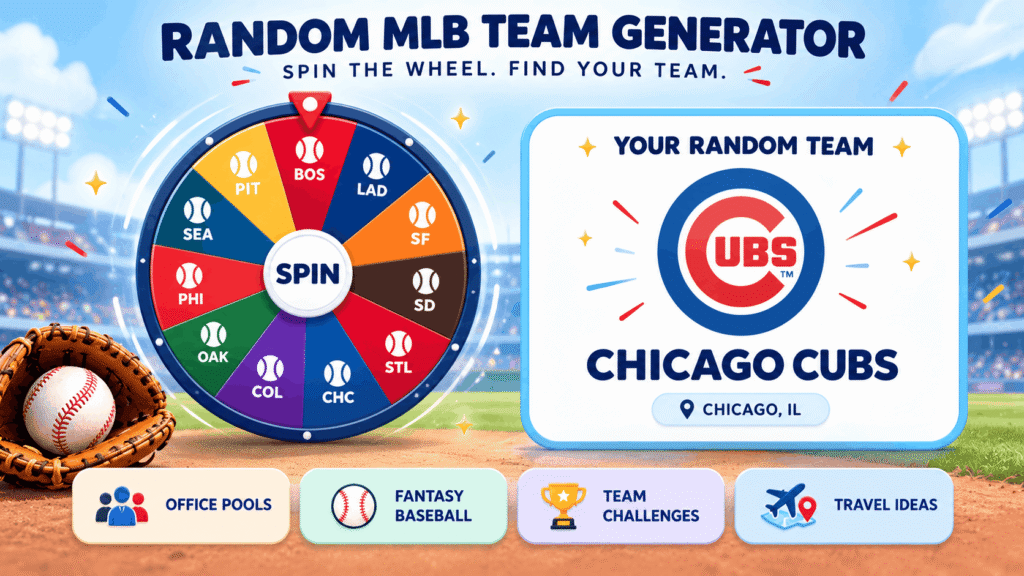
A random MLB team generator spins a wheel of baseball clubs and stops on one at random. On WheelySpin, you pick the full league or one league’s 15 teams, press Spin or tap the wheel, and get a team in seconds.
The random MLB team generator earns its keep in the arguments it settles. Office pools before the postseason, a fantasy baseball night where nobody wants the last pick, a season challenge where you follow whatever club lands: all of them stall when people choose for themselves.
My favorite use is the travel bucket list. The wheel lands on a club, and that club’s home city becomes the next trip idea, no debate required.
For groups, the removal setting lets you hand out every team once, so no two people get the same club. WheelySpin’s wheel is a free fan tool and is not connected to the league or any of its clubs.
How Do You Use a Random MLB Team Generator?
You use a random MLB team generator by choosing which clubs go on the wheel, setting it turning, and acting on whatever winning team it lands on.
- All 30 or half the league: choose every club, the American League only, or the National League only. Inside each league, the divisions hold 5 each.
- Delete the teams you don’t want in the entries box if you only need one division.
- Press the button in the center of the wheel and let it come to rest on a club.
- Remove winner after each result, so the next slice goes to someone else.
Every club keeps the same chance on each turn, whatever happened on the last one. Streaks you notice across five or six turns are your pattern-hunting brain at work, not the wheel.
The result only matters once you use it. A family I know treats each pick as the next stadium on their summer road trips, and the wheel has taken them to cities they’d never have chosen.
What Can You Use a Random MLB Team Wheel For?
A random MLB team wheel is useful for console franchise saves, office pools, drafts, quizzes and travel, anywhere a fair pick beats a long argument.
- MLB The Show: start a franchise with whatever club lands, not the one you always play.
- World Series sweepstakes: assign clubs to coworkers before October, one person per club.
- Fantasy draft: let the wheel settle who picks first.
- Baseball trivia: name a fact about the club that comes up.
- Friendly bet: the loser has to root for the club the wheel picks.
A ballpark pick makes a random result physical. Land on the Cubs and you’re headed to Wrigley Field; the Phillies mean Citizens Bank Park; the Marlins mean LoanDepot Park.
Hard-core fans sometimes call random team picks pointless, and I’d push back on that. Following a club you’d never choose teaches you more about the league in one season than another year with your usual team.
Which Teams Are on a Random MLB Team Wheel?
A random MLB team wheel holds all 30 Major League Baseball clubs, split evenly between the two leagues.
Major League Baseball is one of the four professional team sports leagues in North America, with clubs in the United States and Canada. Each league is split into three divisions. One source traces the league’s history to 1876 and calls it the oldest professional sports league still in operation.
How each club appears depends on the tool. Some wheels show a club as Logo & Name, Logo only or Name only. A logo ring suits younger fans, who often recognize crests faster than city names.
Teams on the wheel can also become a guessing game. Mystery Wheel replaces every slice with a question mark, and Mystery Result hides the pick until you click. Add a title section that reads “Guess the MLB Team Name”; multiple titles cycle one per spin, and Restart Sequence returns to the first.
What Is MLB and How Are Its 30 Teams Organized?
MLB is a 30-club professional baseball league split into the AL and NL, each with East, Central and West divisions of five clubs.
| Division | Teams |
|---|---|
| AL East | Baltimore Orioles, Boston Red Sox, New York Yankees, Tampa Bay Rays, Toronto Blue Jays |
| AL Central | Chicago White Sox, Cleveland Guardians, Detroit Tigers, Kansas City Royals, Minnesota Twins |
| AL West | Athletics, Houston Astros, Los Angeles Angels, Seattle Mariners, Texas Rangers |
| NL East | Atlanta Braves, Miami Marlins, New York Mets, Philadelphia Phillies, Washington Nationals |
| NL Central | Chicago Cubs, Cincinnati Reds, Milwaukee Brewers, Pittsburgh Pirates, St. Louis Cardinals |
| NL West | Arizona Diamondbacks, Colorado Rockies, Los Angeles Dodgers, San Diego Padres, San Francisco Giants |
WheelySpin lists the Athletics by their current name, without a city. League history also shows that division lines aren’t fixed. The Astros moved to the AL West in 2013 after 51 seasons in the NL. The Reds were a charter member of the American Association in 1881 before joining the NL in 1890.
The Red Sox were founded in 1901 as one of the AL’s eight charter franchises, and the Brewers take their name from Milwaukee’s brewing industry. For trivia nights, land on a club and ask for its mascot or a famous player.
How Do You Remove an MLB Team After It’s Picked?
You remove an MLB team after it’s picked by turning on the wheel’s removal option, so each club goes to one person only and none is picked twice.
Removal is how leagues of fantasy league players set the draft order or give every manager a club. It’s also how video game leagues hand out rosters before the first game.
Removal also keeps households calm. A family split between the Bronx and Queens (Yankees against Mets) argues less when the wheel decides. Even die-hard fans of their favorite baseball teams tend to play along once the draw is visibly fair.
For a live draft, slow the wheel down so the room can follow. One tool sets spinning speed from lvl1 to lv10 and duration from 1s to 30s, while another runs from 2 to 30 seconds. A manual stop button lets the host end each turn, and when the draft is over you can bring the teams back for the next one.
How Do You Share a Random MLB Team Result?
You share a random MLB team result by sending it from the result window or by copying your list of picks to post it in your group chat.
The pick arrives in a pop-up window with confetti, and one tool adds Read Aloud, so a room of baseball fans hears the club announced. That moment is the excitement of the game in small form: everyone gets to cheer or groan together.
Before sharing, check what the history panel keeps. Show All Results lists every pick from your current visit, with scores for repeat counts. Another tool keeps your last 50 results, numbered with the date and time of each turn.
Results lists like these are not kept after you leave the page, so copy a record first if a sweepstake depends on it. Clear Results wipes the list for a fresh round.
How Do You Customize an MLB Team Wheel?
You customize an MLB team wheel through its editor, where you set which clubs appear, how their names look and what order they sit in before the first turn.
- Open the editor. The Team Options dropdown picks the clubs and Style Options picks the lettering, while the Inputs section shows what’s loaded.
- Choose Title Case, UPPERCASE (easy to read across a room) or lowercase; the Tt button cycles through them.
- Shuffle the order, or sort the list A to Z.
Shuffling changes position, not odds. A club at the top of the list has no edge over one at the bottom, and the shuffle only affects how the wheel looks.
Customization also affects how a turn feels to watch. On one tool, the wheel starts fast and slows down gradually under a pointer at the top, with each turn lasting 10 seconds by default. That pace keeps a crowd watching without dragging.
Where Can You See All Your Past MLB Team Picks?
You can see all your past MLB team picks in the wheel’s results panel, which lists earlier results and, on some tools, counts how often each club came up.
The results panel works differently by mode. Normal Mode leaves the list unchanged between turns. Elimination Mode drops each pick and lists the eliminated teams, while Accumulation counts repeats and shows totals in a Score tab.
From the panel you can open a result page, copy a result link or download a results image. A single result can only be shared at the moment it’s announced, so grab it then.
For classrooms, a collect link gathers participant results from everyone who uses the shared wheel. That turns one MLB wheel into a quick class survey of favorite clubs.
Can You Show the MLB Team Wheel in Full Screen?
Yes, an MLB team wheel can go full screen through its full-screen button, which hides the inputs and lets the wheel fill the display.
Pick a look before you go full screen. One tool offers 74 color themes of three to five colors, with slice text switching between dark and light to stay readable. Another sets Page Color and background transparency, while a background image, a custom banner and your own logo are reserved for Premium Users.
Sound matters more on a big display than on a phone. Sound on/off, ending sounds and volume controls let you match the room, and mute suits a library or a quiet office. On one tool these settings are saved on your device for the next visit.
For a hands-free start, Ctrl + Enter starts a turn, or Cmd + Enter on a Mac.
Is the Athletics Team on the WheelySpin MLB Wheel?
Yes, the Athletics are on the WheelySpin MLB wheel, listed by the club’s present name with no city attached. Older wheels sometimes still show retired names such as the Cleveland Indians (now the Guardians). Nicknames can confuse new fans too: Arizona’s club is called the D-backs and is based in Phoenix, while Toronto’s Blue Jays are a Canadian club.
Can I Spin for Just One MLB Division?
Yes, you can spin for one division on WheelySpin by choosing the matching league and removing the clubs you don’t need from the list. Other tools let you include or exclude clubs directly, and changing your choices builds a fresh wheel, so the draw stays unbiased. If you’re new to baseball, spinning one division and following the winner all year is an easy way in.
Is the Random MLB Team Generator Connected to MLB?
No, WheelySpin’s random MLB team generator has no affiliation with Major League Baseball or any of its clubs. Teachers build similar wheels as an open-ended template for Elementary classes, and those don’t generate a leaderboard. Wheels like these help youth learn club names, and whichever club fate picks is purely for fun.
How Do I Pick a Random MLB Team?
You pick a random MLB team by pressing Spin and waiting for the wheel to stop on a club. Every club has an equal chance, whatever the spin count or random initial angle settings on some tools. A spin button animation just makes the start obvious to players watching.
Can I Stop an MLB Team From Being Picked Twice?
Yes, you can stop an MLB team from coming up again by removing it after each result. On one tool, Remove the winner automatically does this for you, and Restore returns every removed club at once. That gives you a tournament bracket or a draft without repeats.
Can I Share the MLB Team I Got?
Yes, you can share the MLB team you got from the result window on tools that support sharing. Click the share icon when the result appears; one tool posts to Facebook, Twitter, X or WhatsApp. Another lets you Save as image for a slideshow, group chat or social post, and the result is stored in the link, so no account is needed.
Is the Random MLB Team Generator Free?
Yes, WheelySpin’s random MLB team generator is free, with no sign-up and nothing to install. Wheels like it run in a modern browser on phones, a tablet or a desktop computer. In full screen the wheel gets bigger on a dark background, which suits a projector, TV or shared screen; press Esc to exit, and keyboard shortcuts speed things up.