How Do You Pick a Random Country Online?
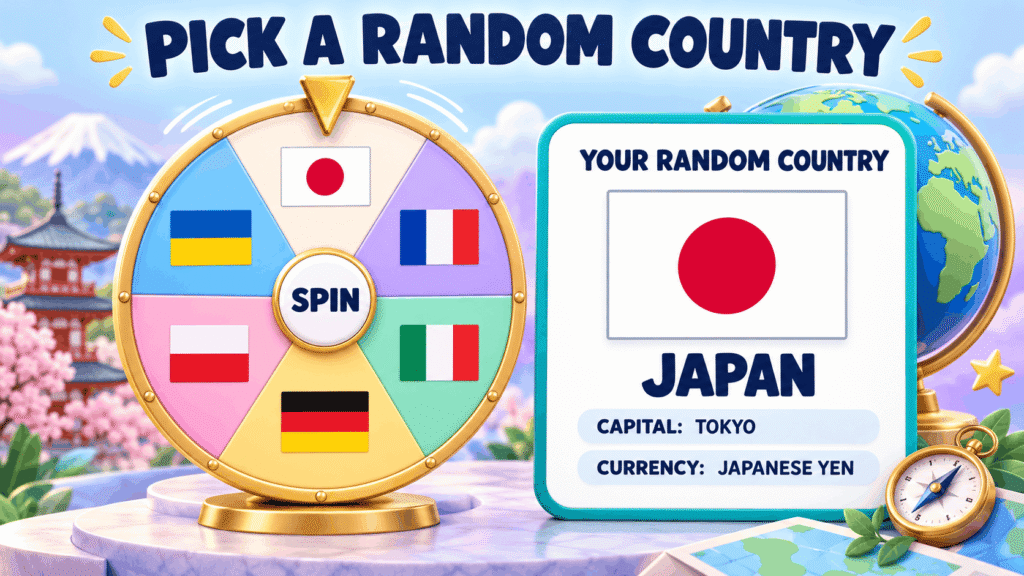
A Random Country Picker Wheel picks one nation from a fixed list the instant you press Spin or click a button, then shows its name and flag, and on fuller tools a short fact sheet as well. The Random Country Generator usual list holds 195 official countries spread across 6 continents.
That 195 has a precise origin: the 193 UN member states plus Vatican City and Palestine. I check the count first on any new tool, because a wheel that quietly drops the two observers, or pads the total with territories, shifts the odds for every nation left on it.
Most of these tools are free, ask for no sign-up and need no installation, since everything runs inside your browser. One even says its picks come from the browser’s secure random generator and links a fairness test you can run yourself, which is more openness than I expected from a geography toy.
What appears after the spin varies far more than the spin itself. Some tools stop at Flag & Name, while others open a page with the Capital, Currency, National Dish and an interactive Google map pinned to the country’s precise geographic position. That gap, not the animation, decides whether a tool fits a quick party round or an evening of study.
What Kind of Tool Is a Country Wheel?
A country wheel is a spinning wheel loaded with nations instead of people’s names, so one spin lands on a single country and shows it as Flag only, as a name, or as both together.
The format borrows from the classic wheel of names used for raffles and class draws, then swaps the entries for a ready-made world list. That origin explains why the same spinner serves learning, decision making and game play equally well: the mechanic stays neutral, and only the entries change.
Not every country tool spins, though, and the three common designs reward different habits:
| Tool design | How you trigger a pick | What a pick shows | Where it shines |
|---|---|---|---|
| Wheel picker | Spin button or keyboard shortcut | Flag, name, or both | Group play and games |
| Fact-page generator | A single green button | Flag, Country size, Language, National Flower and more, as on its sample USA page | Solo study |
| List generator | Rerun for a fresh batch | Name, flag and subregion, e.g. Afghanistan in Southern Asia | Quick reference lists |
Both families live inside wider suites. Wheel sites let you build a wheel from your own names or places and pass two-way calls to a coin flip tool, while list sites open Edit Settings and swap the dataset to Addresses, Area Codes, Cities, Colleges, European Countries, Lakes, States, US Cities, Vacations or Zip Codes, with a city generator and a custom list shuffler a click away.
In my own sessions the wheel wins whenever an audience is watching, while the fact page wins when I am alone and actually want to remember something afterward.
How Do You Spin for a Random Country Step by Step?
Spinning for a random country takes five moves: set the regions, choose the display, spin, decide the winner’s fate, and check the log.
- All Countries is ticked when the page opens; untick it and pick North America, South America or any other block, then watch the counter confirm how many nations remain.
- Name only, a bare flag, or both together comes next; I use flags alone with older students because it forces real recall.
- Spin the wheel with the button or the keyboard shortcut, and wait until the country is announced in the result window.
- DONE leaves the country on the wheel, while REMOVE CHOICE takes it off for later rounds.
- Show All Results opens the running log of every pick in the session.
On a simpler fact-page tool the whole routine collapses into one click, with no wheel at all. I still reach for the wheel version with groups, because the extra steps give everyone a few seconds to guess before the answer lands.
One more button sits beside the wheel. The QUIZ button opens a Flag Quiz that shows a name, a flag or a mix of both and asks you to identify the match, which makes a far tougher knowledge test than simply reading the result.
What Can You Set on the Wheel Before You Spin?
Before you spin at all, you can select regions, include or exclude single nations, and decide how each slice looks.
The region picker covers the whole world by default, and it accepts several blocks at once, so Europe plus Africa works as easily as Oceania alone. Below it, a checklist lets you strip out individual nations; I usually drop the ones a group has already studied so the wheel stays fresh.
Display is the other dial. A wheel of bare flags turns every spin into a recognition test, while names alone suit spelling practice or a travel draw. I have watched a room go silent trying to separate Chad from Romania, so pick the display with your audience in mind.
Two smaller controls live in the More menu: a Shuffle button that scrambles slice order and Sort A to Z for an alphabetical wheel. Once everything is set, you can hide the whole Inputs section so only the wheel stays on screen.
Motion counts as setup too. A random initial angle, initial spinning before anyone clicks, a fixed spin count, plus spin button animation and color-changing, all shape how the moment feels, and a custom spin button sits among the paid extras.
What Facts Do You Get About Each Random Country?
Each random country usually arrives with its flag and name, and the fuller generators add a block covering size, people, money, food and a map.
The richest version I use pulls every entry from one database and is built to help you learn about countries, as its own tagline puts it, one random at a time. Its pages open with the flag, then list the basics, then drop you onto a live map of the exact location.
Lighter list tools trade depth for context and can draw several countries at once. They print the subregion beside each name, so Åland Islands reads as Northern Europe, Albania as Southern Europe and Algeria as Northern Africa, a tag that settles more classroom arguments than any fact sheet.
A third style promises the map, flag and facts of all countries in one place. Whatever the format, I add one item myself, a signature local food, because it anchors a classroom project well: three facts and one food per country, presented the next day.
Should a Picked Country Stay on the Wheel or Drop Off?
A picked country should stay on the wheel when repeats are part of the fun, and drop off when every pick has to be unique.
That choice is the action mode, offered right after each result. Leaving the country in place keeps the odds identical from round to round, which suits betting games, travel challenges or a long solo session where you keep spinning for fun. Removing it shrinks the wheel by one slice, so the final few spins get noticeably more predictable.
For classes, removal is the only sane option. If each student needs a nation for a report, a kept winner means someone eventually doubles up, and I have seen two students arrive with identical slides on Peru.
Whichever mode you run, the log still tracks every outcome. Switching that log from plain results to scores shows accumulated counts per country, a quick way to see how often a kept winner keeps landing.
Who Gets the Most Out of a Random Country Picker?
Classrooms, gamers and trip dreamers get the most out of a random country picker, each for a different reason.
In a school setting the routine I trust runs like this:
- Remove the winner is ticked first, so every student lands a different country.
- Asia or the Americas replaces the full world list when a unit covers only one region.
- Famous dish, flag, capital and language become the overnight research brief.
That spin does more to spark curiosity than any assigned list I ever handed out. For remote groups, a collect link lets each learner spin from home while the participant results come back to one place.
Gamers use the same wheel to set a starting nation for a strategy run, while armchair planners lean on it for daydreaming and the odd random destination. I once let a spin choose a reading theme and ended up three books deep into Mongolia.
The common thread is low stakes. A spin is a cheap way to explore the world and discover something new without the paralysis of choosing, and it quietly builds geography knowledge along the way.
Can You Hide the Countries Until the Wheel Stops?
Yes, a random country wheel can mask every slice behind a question mark and also hold back the landed result until you choose to show it.
Both switches sit in the tool’s extra-options menu. The first swaps every country label for a “?”, so nobody can track a favorite slice as it slows; the second keeps the landed country covered until a click or keypress uncovers it. Together they turn a plain draw into something properly playful.
I use the masked version for flag rounds. Players guess the flag first, shout an answer, and only then check the name, which stops the fast readers from spoiling it for everyone else. The pop-up can also Read Aloud the country once it is uncovered, handy when half the room cannot see the screen.
Sound and timing sharpen the suspense. A custom start sound, spinning sound and ending sound, a manual stop button handed to a student, and a burst of confetti at the end all make the masked result feel earned. On a projector I hit the full-screen button first; the wheel enlarges and the setup panel stays hidden.
How Do You Change the Look, Sound and Feel of a Country Wheel?
You change a country wheel’s look and feel from its options panel, where motion, audio, colors and branding each get their own group.
Motion matters most for groups. A slow, long rotation builds tension on a desktop projector, while a quick flick suits a tablet passed around a table. I tune it per room rather than per lesson, because a restless class reacts to pacing more than to content.
Audio and color follow. I mute the ticking for library sessions and keep it for parties, and I pick a high-contrast palette whenever flags sit on the slices, since pale palettes wash out flags with large white fields like Japan’s.
Branding is the paid layer, while the basic random wheel stays usable without paying. All of these controls belong to the country tool as a specialized version of a general wheel, and, like the wheel itself, they only work with JavaScript switched on.
How Do You Add a Title or Rotating Round Labels to the Wheel?
You add a heading and per-round labels to a country wheel through the title option in the extra menu, and the labels then rotate in order with each spin.
The heading and a short subtitle sit at the top corner of the tool. That spot is easy to overlook, yet it is where I write the lesson aim, so a screenshot taken later still explains itself.
Round labels are the clever part. You write one label per spin, such as “Capital round” and “Flag round”, and the wheel attaches them in sequence, starting over at the first once the list runs out; a reset forces it back to the start mid-session.
The labels look at home next to a Banner or Logo, both Premium extras found in Settings, which opens from the page header on a laptop and from the Menu button on mobile.
Where Can You See Every Country You Have Spun?
Every country you spin in a session sits in the results log, which opens from a button under the wheel.
The log is where elimination history lives. In Elimination Mode it keeps a record of what was deleted, so a country from a previous spin stays listed even after it has left the wheel for future spins, the fastest way to answer “did anyone get Ghana yet?” In Normal Mode the list simply grows.
Saving the log is quick: you can download a results image for a slide or a class chat. A lone pick works differently, because the share icon for a Single Result only shows while that result is still on screen; I have lost a few good spins by closing the window too soon.
How Do You Share a Country Result or Collect Picks From Others?
You share a whole session of country picks through a link to your results, and you share the wheel itself through a link that can also gather other people’s spins.
For a finished session, the results view creates a Results Link that opens a shareable results page. Everything since your first spin of the current visit is included, until someone presses Clear Results, so I send it before wiping the log between groups.
Sharing the wheel works differently. A plain link lets others spin your exact setup, and a gathering link records what each person lands, which is how teachers can quiz students remotely or hand out geography research topics without a single paper slip.
In my experience the link route beats screenshots for classroom use, because students open the same wheel you built rather than a picture of it.
What Changes When You Open the Country Wheel Full Screen?
Full screen makes the country wheel fill the display and tucks the setup panel away, leaving only the spin and the result.
That clean view is where the masking features earn their keep. With the Mystery Wheel on, the wheel inputs become question marks; with the Mystery Result on, the tool hides the result until you press Enter or click to reveal it. A keyboard Ctrl + Enter starts the spin, so the mouse can stay out of sight.
Appearance matters more at that size. I adjust the Page Color and the Tool Background, sometimes adding transparency or a background image of a world map, then pick from the Tool Colors list of color themes so flags stay readable from the back row. The option only appears on larger screens, not phones.
Can a Country Wheel Turn Into a Flag Guessing Game?
Yes, a country wheel turns into a flag guessing game once you display the flag alone and make players name the country before it is shown.
The fact sites hint at the same goal: one tells visitors to memorize flags and shows the flag first on every page. I build a game night around that idea using Modify Title & Desc. to set a tool title and description in the upper left, then add result titles so Spin 1 shows Title 1, Spin 2 shows Title 2, and the sequence loops back once the labels run out.
Restart Sequence sends it back to the first label.
For a remote round I Copy the share link into the group chat so everyone spins the identical wheel. Of all the geography games I have run, this one survives repeat plays best, because the wheel rarely lands in the same order twice.
Can the Same Tool Pick Something Other Than a Country?
Yes, most random country tools sit inside larger suites that pick from your own entries or from other location lists.
On the wheel side, you build a fresh wheel from any entries you like, then use the share button in the top right corner and Create Share Link to post it to Facebook or Twitter. The same suite also offers a separate heads-or-tails flipper for two-way calls.
List-style generators switch through a settings menu, which is how travelers turn the tool into travel inspiration. When I want to pick a destination rather than a whole nation, I swap to a holiday or town list, which feeds the wanderlust without committing to a single flight. To go one step further, the random city generator picks a real city from world capitals, Europe, the USA, Asia or Africa.
Which 195 Countries Does a Random Country Generator Include?
A random country generator that advertises 195 includes every full United Nations member plus its two observer states, which covers all the countries in the world that most atlases recognize.
The edges are where tools differ. One wheel adds Taiwan as de facto independent, Hong Kong and Macau as dependent areas, and Kosovo as disputed, while the subnational picks (a state, province or region) live in a separate tool entirely. Big list sites go further and add overseas territories from anywhere on Earth, so their totals run well past 195.
Size within the list is wildly uneven. One fact site’s Largest Population sidebar reads China, India, United States of America, Indonesia, Pakistan, Brazil, though UN estimates have put India ahead of China in Population since 2023. Those six nations hold a large share of the planet’s people.
Can You Spin Countries From Only One Continent?
Yes, you can spin countries from only one continent by unticking every other region before you spin.
That option is what makes the tool fit school planning: continent lists line up with a syllabus, and the five regional sections on one directory site mirror how many geography lessons split the globe.
A smaller wheel also changes the Spin Behavior you want. With only a dozen or so slices I drop the speed from the top of level 1 to level 10 and shorten the duration inside its 1 to 30 seconds range, so a short list does not drag.
Continent scale varies too. The Largest Sizes sidebar on one fact site runs Russia, Canada, China, United States of America and Brazil, so a single-region wheel can still hold a giant, and those fun country facts make a good warm-up question before the first spin.
Where Do Russia and Türkiye Appear on a Country Wheel?
Russia is usually listed under Europe and Türkiye under Asia on a random country wheel, though a teacher can move either one to fit a different curriculum.
Both nations straddle two continents, so the placement is a convention rather than a fact. One directory site files Russia under Europe and Türkiye, under its older spelling Turkey, under Asia, matching the wheel default. If your syllabus treats Anatolia as part of Europe, those entries can be moved before the first spin.
The full directory below shows exactly where each entry sits. It mixes sovereign states with territories, which is why it lists 234 entries rather than 195.
| Region | Entries | Countries and territories listed |
|---|---|---|
| Asia | 51 | China, India, Indonesia, Pakistan, Bangladesh, Japan, Philippines, Vietnam, Iran, Turkey, Thailand, Myanmar, South Korea, Iraq, Saudi Arabia, Uzbekistan, Malaysia, Nepal, Afghanistan, Yemen, North Korea, Taiwan, Syria, Sri Lanka, Kazakhstan, Cambodia, United Arab Emirates, Azerbaijan, Israel, Tajikistan, Hong Kong, Laos, Jordan, Turkmenistan, Kyrgyzstan, Singapore, Palestine, Georgia, Lebanon, Oman, Kuwait, Armenia, Mongolia, Qatar, Bahrain, East Timor, Cyprus, Bhutan, Macau, Brunei, Maldives |
| Americas | 53 | United States, Brazil, Mexico, Colombia, Argentina, Canada, Peru, Venezuela, Chile, Ecuador, Guatemala, Bolivia, Cuba, Haiti, Dominican Republic, Honduras, Paraguay, El Salvador, Nicaragua, Costa Rica, Panama, Puerto Rico, Uruguay, Jamaica, Trinidad and Tobago, Guyana, Suriname, Guadeloupe, Martinique, The Bahamas, Belize, Barbados, French Guiana, Saint Lucia, Curacao, Saint Vincent and the Grenadines, United States Virgin Islands, Grenada, Aruba, Antigua and Barbuda, Dominica, Bermuda, Greenland, Cayman Islands, Saint Kitts and Nevis, Sint Maarten, Turks and Caicos Islands, British Virgin Islands, Caribbean Netherlands, Anguilla, Saint Pierre and Miquelon, Montserrat, Falkland Islands |
| Africa | 58 | Nigeria, Ethiopia, Egypt, Democratic Republic of the Congo, South Africa, Tanzania, Kenya, Algeria, Sudan, Uganda, Morocco, Ghana, Mozambique, Angola, Ivory Coast, Madagascar, Cameroon, Niger, Burkina Faso, Malawi, Mali, Zambia, Chad, Senegal, Zimbabwe, South Sudan, Somalia, Rwanda, Tunisia, Guinea, Benin, Burundi, Togo, Eritrea, Sierra Leone, Libya, Central African Republic, Republic of the Congo, Liberia, Mauritania, Lesotho, Namibia, Botswana, The Gambia, Guinea-Bissau, Gabon, Equatorial Guinea, Mauritius, Eswatini, Djibouti, Reunion, Comoros, Western Sahara, Cape Verde, Mayotte, Sao Tome And Principe, Seychelles, St Helena, Ascension and Tristan da Cunha |
| Europe | 49 | Russia, Germany, France, United Kingdom, Italy, Spain, Ukraine, Poland, Romania, Netherlands, Belgium, Greece, Czech Republic, Portugal, Hungary, Sweden, Belarus, Austria, Switzerland, Bulgaria, Serbia, Denmark, Finland, Slovakia, Norway, Ireland, Croatia, Bosnia and Herzegovina, Moldova, Lithuania, Albania, North Macedonia, Slovenia, Latvia, Kosovo, Estonia, Montenegro, Luxembourg, Malta, Iceland, Isle of Man, Andorra, Guernsey, Faroe Islands, Liechtenstein, Monaco, San Marino, Gibraltar, Vatican City |
| Oceania | 23 | Australia, Papua New Guinea, New Zealand, Fiji, Solomon Islands, New Caledonia, French Polynesia, Vanuatu, Samoa, Guam, Kiribati, Tonga, Federated States of Micronesia, Marshall Islands, American Samoa, Northern Mariana Islands, Palau, Cook Islands, Wallis and Futuna, Tuvalu, Nauru, Niue, Tokelau |